
Disney Cars Coloring Book
Play Count0
Published2020-07-03
Supported DevicesPC + Mobile
CategoryArcade & Classic
Rating★★★★★5.0Rate this game
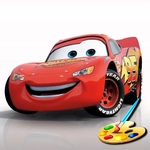
📝Disney Cars Coloring Book Overview
Grab a virtual paintbrush and turn Lightning McQueen, Mater, and the whole Radiator Springs crew into a neon dream scene — no messy crayons required.
💬What is Disney Cars Coloring Book?
Look, I know what you're thinking: 'a coloring book, really?' But once I loaded this up with my little cousin, I got it. You pick a page — there's Lightning mid-pose, Mater looking goofy, a few other Radiator Springs regulars — and the screen just hands you a digital bucket of colors. Click a region, it fills perfectly inside the lines. No scribble-over-the-edges frustration, no broken crayon bits on the carpet. The palette sits on the side; you can go classic red for McQueen or turn his hood pink just to annoy someone.
What surprised me is how calm it feels. The music's soft, the pages are actually sharp even on a laptop, and there's no timer or score yapping at you. You can leave a page half-colored, switch to another, then come back. It remembers what you did, which is more than I can say for half the 'serious' arcade games I've reviewed. The fill tool is surprisingly precise — no weird bleed into neighboring shapes if you click right.
One detail I kept coming back to: Mater's grill has these tiny individual teeth-like bars, and the fill tool knows exactly where each one ends. That's the kind of small polish that makes this not just a toddler time-waster. If you need five minutes of peace, or just want to see what a teal Lightning McQueen looks like minus the spray paint, this does the job. Touchscreen works great too — just tap a part and it floods with color.
👥How to Play Disney Cars Coloring Book
Mouse or tap to play.
✨Game Tips
Start with the biggest regions first — wheels and body panels — so you don't accidentally splash over adjacent areas.
If you're on a touchscreen, pinch to zoom out and see the whole page before picking colors.
Mistake? Click the same region with white or use the eraser tool — it's quicker than hunting for an undo button.
Try non-canon colors on McQueen's eyes or Mater's tow hook; the game doesn't judge, and it's oddly satisfying.
Work one character at a time instead of jumping around the page; it keeps the color palette focused and avoids a muddy mess.
If the music gets repetitive, just mute your tab — the coloring itself is soothing enough without it.
🔧FAQ
Q: Is Disney Cars Coloring Book free?
A: Yes, it's completely free to play in your browser — no paywalls or locked pages.
Q: Can I play Disney Cars Coloring Book on mobile?
A: Yes, it works on phones and tablets with touch controls. Tap any region to fill it.
Q: Do I need to download anything?
A: No download needed. It runs directly in your browser as an HTML5 game.
Q: Is this game safe for young kids?
A: Absolutely. There's no violence, ads are minimal, and the interface is easy for little hands.
Q: Can I save or print my colored pages?
A: The game doesn't have a save feature, but you can take a screenshot of your finished page.
Q: Does the game have a timer or scoring?
A: No timer or score — it's a relaxing, open-ended coloring experience with no pressure.