
Disney Junior: Toy Maker
Play Count0
Published2022-09-23
Supported DevicesPC + Mobile
CategoryArcade & Classic
Rating★★★★★5.0Rate this game
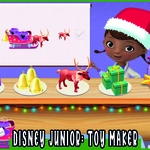
📝Disney Junior: Toy Maker Overview
Build, paint, and decorate toys with your favorite Disney Junior characters — no two creations ever turn out the same.
💬What is Disney Junior: Toy Maker?
If you've got a kid who loves Mickey, Minnie, or the whole Disney Junior crew, this is one of those games that quietly eats an afternoon. You're basically running a tiny toy workshop. Pick a character, choose a base toy shape, then start slapping on colors, patterns, stickers, and little accessories. The mouse controls are surprisingly forgiving for younger players — no precise clicking or dragging, just big friendly buttons and a color palette that feels like a box of crayons exploded in the best way.
What kept me coming back was how weirdly satisfying it is to finish a toy and see it pop up on the display shelf with your character doing a little happy dance. There's no timer, no fail state, no hidden ads nagging you. Just pure, low-stakes creativity. My nephew spent twenty minutes making a pink dinosaur with a top hat and then insisted we screenshot it. That's the whole vibe.
The game leans more "arcade" in its simplicity than any deep crafting sim. You won't manage resources or unlock skill trees. It's pick, click, color, done. And honestly? That's a relief. Perfect for a quick break between homework and dinner, or as a first game for a kid who's still learning how a mouse works.
👥How to Play Disney Junior: Toy Maker
Use Mouse To Play and Keyboard
✨Game Tips
Click the star button to save your favorite toy designs to the shelf — you can swap them out anytime.
If you're playing with a kid, sit back and let them click everything. The game won't punish random clicking.
Use the undo arrow early if you don't like a color. It only undoes the last action, so act fast.
Try mixing a sticker from one character's set with another character's base toy. Some combos look hilariously wrong.
Keep an eye on the top row of colors — those are the ones your current character is "known" for and usually look best.
The toy spins on its own after you finish, so don't waste time dragging it around. Just wait for the celebration.
🔧FAQ
Q: Is Disney Junior: Toy Maker free to play?
A: Yes, it's completely free in your browser with no paywall.
Q: Can I play Disney Junior: Toy Maker on mobile?
A: It works on mobile browsers, but a mouse or trackpad gives smoother control.
Q: Do I need to download anything?
A: No downloads. It runs directly in your browser as an HTML5 game.
Q: Is this game safe for kids?
A: Absolutely. No violence, no chat, and no external links in the game area.
Q: Can I save my toy creations?
A: You can save them to the in-game shelf, but they reset when you close the tab.
Q: What age is Disney Junior: Toy Maker for?
A: Best for ages 3 to 7, though even older kids might sneak a play or two.