
Diy Joystick
Play Count0
Published2022-06-30
Supported DevicesPC + Mobile
CategoryGirls & Lifestyle
Rating★★★★★5.0Rate this game
📝Diy Joystick Overview
Ever stared at a plain black joystick and thought it could use some glitter, stickers, and a personality overhaul? That's exactly what you get to do here, one tap at a time.
💬What is Diy Joystick?
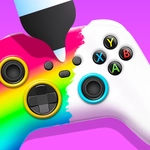
I'll be honest — I clicked into Diy Joystick expecting a quick time-waster, but the little customization loop got me. You're handed a basic controller shell and a tray of parts, paints, and stickers. For a game that only asks for a mouse or a tap, it's surprisingly tactile: drag a color swatch onto the grip, swap out the thumbsticks, slap a googly-eye sticker on the front. The whole thing feels like a sticker book for people who grew up making their game controllers look ridiculous.
The real 'aha' moment for me was realizing you can mismatch pieces on purpose. Want a pink base with neon green buttons and a tiny unicorn horn? Go for it. Nothing locks you into a theme, which is rare in these casual games. There's no fail state, no timer, no annoying pop-up demanding you watch an ad. You just fiddle until the controller on screen stops looking like everyone else's and starts looking like something you'd actually use — or maybe keep on a shelf.
The controls couldn't be simpler: click or tap to select, drag to place. That's it. Some screens have small arrows to cycle through options, and the game remembers what you've already chosen, so you can build in whatever order you like. It's the kind of thing I'd hand to a kid on a tablet during a car ride, but I also caught myself spending ten minutes just trying to make the tackiest joystick possible. If you need a low-stakes creative outlet, this one does the job without pretending to be more than it is.
👥How to Play Diy Joystick
Mouse or tap to play.
✨Game Tips
Start with a color base before adding stickers — it'll save you from redoing the whole shell later.
Try layering two thin stickers on the grip for a wrap-around effect; sometimes they snap together.
If you're on mobile, tap once to select a part and once more to place it, not drag.
Don't ignore the thumbstick options; a different shape can completely change the silhouette.
Save your best design by screenshotting it, since there's no built-in export.
🔧FAQ
Q: Is Diy Joystick free to play?
A: Yes, it's completely free in your browser with no downloads required.
Q: Can I play Diy Joystick on my phone?
A: Absolutely, it works with taps on any mobile browser.
Q: Do I need to install anything?
A: Nope, just open the page and it runs instantly as HTML5.
Q: Is Diy Joystick suitable for kids?
A: It's kid-friendly with no violence or scary content, just creative decorating.
Q: Can I save my joystick designs?
A: The game doesn't have a save feature, but you can screenshot your finished creation.
Q: What if I don't like my design?
A: You can clear parts and start over anytime by selecting new options or resetting the screen.