
Diy Joystick Game
Play Count0
Published2022-07-01
Supported DevicesPC + Mobile
CategoryFun & Crazy
Rating★★★★★5.0Rate this game
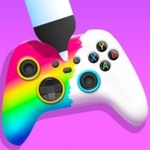
📝Diy Joystick Game Overview
Forget store-bought controllers—build a wonky DIY joystick from scraps and see if you can wrangle the chaos before it all falls apart.
💬What is Diy Joystick Game?
Ever taken apart an old controller just to see the springs and plastic bits? Diy Joystick Game scratches that itch without the carpet full of screws. You start with a pile of random parts—cardboard, rubber bands, bottle caps, maybe an actual arcade stick base—and click or drag to cobble together your own input device. It's not pretty, but it's yours.
The first time I fired it up, I spent five minutes just rotating a plastic cup to see if the on-screen stick would tilt the same way. It did. Then I plugged in a keyboard key for the 'A' button and promptly launched my little pixel character off a ledge. That's the joy—your creation is janky, and the game leans into it. The built-in test arena gives you a ball to roll or a character to move; if your joystick is calibrated like a drunk shopping cart, you'll feel every wobble.
It's not a deep sim. You won't be soldering or wiring real circuits. But as a five-minute distraction, it's oddly satisfying—like a virtual fidget toy with a sense of humor. I kept coming back just to see how absurd I could make the stick before it stopped responding altogether. If you enjoy games that let you play with the controller itself, Diy Joystick Game is a weird little gem.
👥How to Play Diy Joystick Game
Use Mouse To Play and Keyboard
✨Game Tips
Start with the simplest stick: a single cardboard base and a rubber band—you can add springs later.
Use your keyboard to map extra buttons early; mouse-only joysticks get frustrating fast.
Test your creation in the sandbox before heading to any timed challenge.
Don't over-tighten the virtual screws—loose joints make the stick feel more responsive.
If the on-screen stick drifts, check that your base isn't tilted; the physics engine punishes lazy assembly.
🔧FAQ
Q: Is Diy Joystick Game free?
A: Yes, it runs free in your browser. No paywalls or hidden fees.
Q: Can I play Diy Joystick Game on mobile?
A: It works best with mouse and keyboard, but touch controls are supported for basic building.
Q: Do I need to download anything?
A: No download needed. Just open the game in a modern web browser and start clicking.
Q: What are the controls for Diy Joystick Game?
A: Use your mouse to click, drag, and place parts. Keyboard keys can be assigned to buttons after building.
Q: Can I save my joystick creations?
A: The game doesn't have a save system, but you can rebuild quickly since parts are infinite.
Q: Is Diy Joystick Game suitable for kids?
A: Yes, it's family-friendly and encourages tinkering without any violence or mature content.