
DIY Keyboard
Play Count0
Published2022-03-29
Supported DevicesPC + Mobile
CategoryGirls & Lifestyle
Rating★★★★★5.0Rate this game
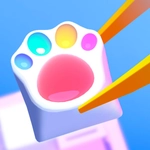
📝DIY Keyboard Overview
Swap those boring black keys for pastel keycaps, glitter stickers, and tiny charms—your dream keyboard is one click away.
💬What is DIY Keyboard?
I did not expect a keyboard decorating game to keep me busy for twenty minutes, but here we are. DIY Keyboard starts with a plain, slightly sad keyboard and hands you an almost silly amount of ways to fix it. Keycaps come in pastels, neons, and even weird patterns, and you can swap the spacebar for a cloud shape or the enter key for a tiny rainbow. Stickers, charms, glitter—all of it just sits there waiting to be dragged onto the board.
The moment that got me: I slapped a sparkly cat sticker on the spacebar and it actually looked like it belonged there. You can nudge everything before it locks in, so I redid the escape key about four times to get it pixel-perfect. Controls are pure mouse or tap—no menus to wrestle, no hidden tools. Just click a part, pick a style, and watch your boring keyboard turn into a pastel dream. There's even a satisfying little click sound when a keycap snaps into place. The palette feels like a candy shop, and I kept switching between soft lilac and mint green until the whole board finally matched.
After you're done decorating, the game shows off your creation like it's the centerpiece of a desk setup, and honestly, I felt weirdly proud of a fake keyboard. It's a pressure-free zone: no timers, no wrong choices, no way to lose. If you like makeover games, color-matching chaos, or just need something cozy to click around in, this one's a solid pick.
👥How to Play DIY Keyboard
Mouse or tap to play.
✨Game Tips
Layer stickers over keycaps for a custom look; don't be afraid to mix patterns.
🔧FAQ
Q: Is DIY Keyboard free to play?
A: Yes, it's completely free in your browser with no hidden charges.
Q: Can I play DIY Keyboard on mobile?
A: Yes, the tap controls work great on phones and tablets.
Q: Do I need to download anything to play DIY Keyboard?
A: No downloads needed—just open the game page and start decorating.
Q: What age group is DIY Keyboard for?
A: It's designed for kids and casual players, but anyone can enjoy it.
Q: How do I undo a decoration in DIY Keyboard?
A: Use the undo button or click the item again to remove it.
Q: Does DIY Keyboard save my design?
A: It depends on the version, but most browser versions let you screenshot your final keyboard.