
Doge Blocks
Play Count0
Published2023-08-07
Supported DevicesPC + Mobile
CategoryPuzzle & Thinking
Rating★★★★★5.0Rate this game
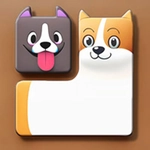
📝Doge Blocks Overview
Guide a doofy shiba all the way across the grid, pushing pixel blocks to fill every square before the timer runs dry.
💬What is Doge Blocks?
Doge Blocks doesn't pretend to be anything fancy, and that's exactly why it works. You've got a shiba inu on a grid, a bunch of colored blocks scattered around, and one job: drag that doge around so the blocks slide into every empty square. The controls are instant — mouse or finger, no tutorial needed. I figured it out in ten seconds, but finishing a level without trapping a block in a corner took me a few tries.
The real hook is the spatial puzzle underneath the meme skin. Each block moves only when the doge pushes it, so you're constantly scanning ahead: if I shove this red block left, can I still reach the bottom row? I lost a level because I confidently wedged a blue block against the wall and then realized the doge couldn't get past it. The little doge just sat there, tongue out, completely unbothered. That's the game's secret weapon: it's impossible to rage-quit when the main character looks this doofy.
It's not a long game, but it's a perfect between-classes or coffee-break thing. The levels ramp up slowly, adding tighter corridors and multi-block chains that force you to plan rather than spam. Touch players will appreciate that the whole thing runs on a single drag, no on-screen buttons to fat-finger. I kept coming back for "one more level" until my phone battery asked me to stop. If you need a low-stakes puzzle with a very good boy, this is it.
👥How to Play Doge Blocks
1. Use the mouse or tap the screen to click and drag on the screen to move the doge.
2. With the theme of the cute dog image.
3. The gameplay is simple and easy to understand, you only need to click or drag to operate.
4. Fill the map with puppy blocks.
✨Game Tips
- Plan pushes backward from the far corner so you never strand a block where the doge can't reach it.
- Grid edges are your friend; blocks stop dead when they touch a wall or another block, which can set up clean fills.
- Don't rush those first few moves — one careless shove can turn a simple board into an unsolvable mess.
- Drag slowly around corners on a touchscreen to prevent the doge from slipping past a block you meant to push.
- If you spot a block wedged against a wall with no way to slide it out, restart the level early instead of fighting it.
- Always check the doge's own escape route after placing a block, not just whether the tile is filled.
🔧FAQ
Q: Is Doge Blocks free to play?
A: Yes, Doge Blocks is completely free in your browser with no paywall or hidden fees.
Q: Can I play Doge Blocks on my phone?
A: Absolutely. The drag controls work with touch, so it plays great on mobile browsers and tablets.
Q: Do I need to download or install anything?
A: No download needed. Just open the page in any modern browser and start dragging immediately.
Q: Is Doge Blocks unblocked for school or work?
A: Yes, it runs on the site as an unblocked HTML5 game, so it usually bypasses network filters.
Q: What are the Doge Blocks controls?
A: Click and drag with your mouse, or touch and drag on a screen. That's the whole control scheme.
Q: Does Doge Blocks save my progress?
A: Progress depends on your browser. Some levels might not save after you close the tab, so finish a session first.