
Dots Line
Play Count0
Published2024-10-28
Supported DevicesPC + Mobile
CategoryPuzzle & Thinking
Rating★★★★★5.0Rate this game
📝Dots Line Overview
Draw one seamless line through every dot without lifting your finger — sounds easy until the grid fights back.
💬What is Dots Line?
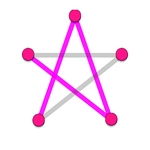
Dots Line looks deceptively calm. A white background, a handful of dots scattered around, and a single instruction hanging in the air: connect them all without crossing your own path. I thought it'd be a two-minute distraction. Twenty minutes later I was still on level 12, muttering at my screen. That's the whole hook — the simplicity hides a genuinely tricky spatial puzzle.
The control scheme is about as low-friction as it gets. Drag from one dot to the next with a mouse, or use your finger on a touchscreen; if you need a closer look, pinch to zoom. The line you draw is permanent for that attempt, so every dot you choose changes which neighboring dots remain reachable. The first few levels teach you the rhythm, but soon you'll hit boards where the obvious route dead-ends because you boxed yourself in three dots ago. My favorite 'aha' was on a level with a lonely dot in the corner — I kept trying to include it mid-path, but the solution needed it to be the very last stop. That kind of quiet reversal is what keeps me coming back.
You don't need reflexes or combos here, just patience and a willingness to erase and retry. It's a perfect palette-cleanser between heavier games, but don't be surprised if you lose an entire evening to 'just one more level.' The minimalist visuals keep the focus on the line itself, and there's something satisfying about watching your stroke snake through the final dot without a single overlap. If you like puzzles that feel more like untangling a knot than solving equations, Dots Line nails that vibe.
👥How to Play Dots Line
Management:
- PC - mouse.
- On mobile - finger, pinch and drag.
✨Game Tips
Start from the dot with the fewest open neighbors — it often forces the rest of the path.
On mobile, pinch-zoom first so you don't accidentally hit the wrong dot.
Corner dots are usually endpoints; don't force them into the middle of your line.
If your first try fails, start from the opposite side of the puzzle instead.
Look for pairs of dots that only connect to each other — they lock part of the path.
🔧FAQ
Q: Is Dots Line free to play?
A: Yes, Dots Line is completely free in your browser with no paywall.
Q: Do I need to download anything to play Dots Line?
A: No, it runs directly in your browser as an HTML5 game — just click and play.
Q: Can I play Dots Line on my phone?
A: Yes, the touch controls work well; just use your finger to drag and pinch to zoom.
Q: What if I get stuck on a level?
A: Most versions let you undo your last move or restart the puzzle instantly, so you can try a new route.
Q: Does Dots Line need an internet connection?
A: Since it's a web game, you'll need a connection to load it, but it plays smoothly afterward.
Q: Is Dots Line suitable for kids?
A: Yes, it has no violence or time pressure, and it's a good brain exercise for all ages.