
Dots Master
Play Count0
Published2025-05-05
Supported DevicesPC + Mobile
CategoryArcade & Classic
Rating★★★★★5.0Rate this game
📝Dots Master Overview
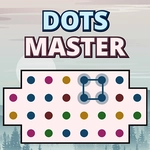
Drag between matching dots to build squares and loops, then watch entire color groups vanish in one satisfying chain reaction.
💬What is Dots Master?
Dots Master takes the basic connect-the-dots idea and turns it into a rapid board-clearing puzzle. You drag a line from dot to adjacent matching dot—horizontal or vertical only. When you complete a closed shape (square or loop), every dot of that color inside or on the border gets wiped. It sounds simple, but the board fills up fast and you're constantly weighing whether to grab two dots now or set up a bigger clear.
The real tricks are chain reactions and loop sniping. I kept trying to set up a long loop around a cluster, then closing it at the last possible dot. It feels great when a whole color vanishes. Diagonal connections don't work, so you can't cheese your way across. More colors appear as you progress, and leftover loose dots clog your path. That's where the tension lives—do you use a move to tidy up, or gamble on a riskier loop?
It's simple to pick up, but the later levels punish sloppy dragging. There's no timer in most modes, but limited moves or increasingly tight color mixes keep pressure on. If you like puzzle arcade games that reward quick visual scanning, Dots Master will eat a lunch break. Don't be surprised if you restart a level three times just to shave off one move.
👥How to Play Dots Master
Tap and drag to connect matching dots vertically or horizontally.
Form squares or loops to clear same color dots in a single move .
✨Game Tips
Always scan for potential loops before you start connecting. A closed loop clears far more dots than a plain line.
- Don't waste moves on single pair connections unless they feed into a larger shape.
- If two colors sit side by side, end your drag on that boundary to set up a future square.
- Corner dots are easy to trap—approach them from two sides to form a tight loop.
- Clear the rarest color first when the board gets crowded.
- Restart if your first three drags don't create at least one square or loop.
🔧FAQ
Q: Is Dots Master free to play?
A: Yes, it's completely free in your browser. No paywall or locked levels.
Q: Can I play Dots Master on mobile?
A: Yes, touch controls work well. Drag with your finger on any modern phone or tablet.
Q: Do I need to download anything to play Dots Master?
A: No download needed. It runs as an HTML5 game directly in your web browser.
Q: What are the controls for Dots Master?
A: Tap and drag between adjacent matching dots. Release to close a loop or square.
Q: Do I need an internet connection to play Dots Master?
A: You need internet to load the page, but the game runs locally after that.
Q: Can I play Dots Master with friends?
A: It's a single-player puzzle. Compare best moves or scores with friends instead.