
Drag Racing 3D 2021
Play Count0
Published2021-04-06
Supported DevicesPC
CategoryDriving & Racing
Rating★★★★★5.0Rate this game
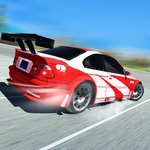
📝Drag Racing 3D 2021 Overview
Burn rubber off the line and slam through gears in Drag Racing 3D 2021 — can you hit the perfect shift every time?
💬What is Drag Racing 3D 2021?
Drag Racing 3D 2021 keeps it simple: you're on a straight strip, the lights drop, and suddenly it's all about how fast you can click or tap to shift. The 3D view puts you right behind the wheel, and the engine whine climbing as the RPM needle sweeps toward redline is genuinely tense. I lost my first three races because I kept shifting too early — the car bogs down and your opponent just walks away. The trick is waiting until the last possible millisecond before the limiter bounces, then slamming the next gear. It sounds basic, but the timing window is tighter than it looks.
There's also a local multiplayer mode that makes this a surprisingly good couch game. One player uses arrow keys or A/D, the other uses N/M, and you're both staring at the same screen waiting for the green. It gets loud — my friend and I ended up restarting a dozen times because neither of us accepted a loss. The game doesn't have much beyond straight-line drags and a few car colors to pick from, but honestly that's all it needs. Every race is over in ten seconds or less, so the "one more run" loop hits hard.
If you've ever played those old flash drag racing games where you just hold a key and pray, this feels like a slightly more polished cousin. It's not deep, the physics are arcade-simple, and the AI gets beatable once you learn the shift points. But for a quick adrenaline hit between classes or while pretending to work, it scratches the itch. Just don't blame me when you start muttering "perfect launch" at your monitor.
👥How to Play Drag Racing 3D 2021
Use mouse click to play the game.
For multiplayer
Use arrow keys or AD for one player and NM for other player
✨Game Tips
Wait until the RPM needle is almost at redline before shifting — early shifts kill your acceleration.
Use the mouse click for single player; it's more precise than keyboard mashing.
In multiplayer, set both players to use keyboard keys that don't overlap (arrows/AD vs N/M).
Practice your launch: holding the click or key right as the green drops gives a small speed boost.
Watch the opponent's car in single player — once you see them pull ahead, you're likely shifting too conservatively.
If you keep redlining and losing, try shifting just before the limiter bounces; there's a sweet spot.
🔧FAQ
Q: Is Drag Racing 3D 2021 free to play?
A: Yes, it's completely free online with no hidden costs or in-game purchases.
Q: Can I play Drag Racing 3D 2021 on mobile?
A: The game works in mobile browsers, though the multiplayer keyboard controls are best on desktop.
Q: Do I need to download anything to play?
A: No downloads needed — just open the page and the game runs in your browser.
Q: How do I play multiplayer with a friend?
A: Use arrow keys or A/D for player one and N/M for player two on the same keyboard.
Q: What are the single player controls?
A: Click or tap the screen to shift gears when the RPM is high.
Q: Is Drag Racing 3D 2021 unblocked at school?
A: Since it's an HTML5 game on an unblocked games site, it usually bypasses school filters.