
Dragon Simulator
Play Count0
Published2020-01-27
Supported DevicesPC
CategoryAction & Fighting
Rating★★★★★5.0Rate this game
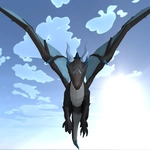
📝Dragon Simulator Overview
Flap, dive, and torch everything in sight as you grow from a runt dragon into a living apocalypse.
💬What is Dragon Simulator?
I nearly gave up in the first five minutes because the controls felt weird—then I figured out that space isn't just jump, it's flight, and suddenly the whole valley opened up. Dragon Simulator drops you in as a small dragon with a big attitude problem, and from there it's a sandbox of eating, burning, and occasionally getting shot at by archers who really don't appreciate your fire breath. The map is generous, with mountains, lakes, and scattered villages that all seem to have torches ready.
What kept me coming back is the growth loop. Eat sheep, torch guards, pick fights with other dragons (some are real players if the server is busy), and your dragon visibly gets bigger and meaner. The fireball and melee attacks feel satisfying—there's a slight delay that makes you commit to each shot, which I appreciate. Flying is momentum-based; you don't just hover, you beat your wings and climb, then dive to pick up speed. That's the moment I loved: climbing until the ground is a blur, then folding wings and dropping straight onto a caravan.
The chat system is janky but fun, and the map is essential because it's easy to get lost. If you're new, don't spam space. Tap it to gain altitude, hold shift for sprint flying. And for the love of the egg, don't attack the big dragons until you've grown a few levels—they remember.
👥How to Play Dragon Simulator
WASD or arrow keys: move
Space: fly-Up
L Shift: sprint
Q: jump
C: down
R: dodge
Shift + Left mouse click: fire breath
Left mouse click: fireball
Right mouse click: melee attack
T: chat
M: map
Esc: pau
✨Game Tips
Master the dive: climb high, hit C to drop, then pull up just before the ground and open with a fireball.
Eat everything early—sheep, boars, even berries if they're around—to level up faster than fighting fair.
Use Shift + left click for a continuous fire breath when surrounded; it burns multiple enemies at once.
Watch the chat for dragon fights; joining a hunt can net you loot without much risk if you're small.
Press M for the map before exploring, and mark your favorite hunting spots.
Right-click melee is your best friend when a bear or wolf gets too close.
🔧FAQ
Q: Is Dragon Simulator free to play?
A: Yes, it's completely free in your browser, no downloads or sign-ups required.
Q: Can I play Dragon Simulator on mobile?
A: The game works best with a keyboard, but many mobile browsers can run it with on-screen controls.
Q: Do I need to download anything to play Dragon Simulator?
A: No, it's an HTML5 game that runs directly in your browser.
Q: Can I play Dragon Simulator with friends?
A: Yes, the game supports multiplayer servers where you can chat and fly with other players.
Q: How do I fly upward in Dragon Simulator?
A: Press or tap Space repeatedly to gain altitude, and use Shift for a speed boost.
Q: What should I do first in Dragon Simulator?
A: Eat small animals to level up, and avoid fighting other dragons until you're bigger.