
Draw a skin for Mineblock with physics
Play Count0
Published2025-09-29
Supported DevicesPC + Mobile
CategoryFun & Crazy
Rating★★★★★5.0Rate this game
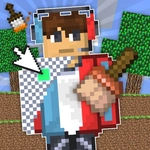
📝Draw a skin for Mineblock with physics Overview
Pixel by pixel, you can build a custom Mineblock skin with physics—pick a color, grab a block, and click to fill each square.
💬What is Draw a skin for Mineblock with physics?
You're not just picking a pre-made outfit. Draw a skin for Mineblock with physics hands you a blank grid, a palette of block types, and a color selector, then sets you loose. Click any pixel to drop in a block, choose another shade, and repeat. The palette includes basic Minecraft-style blocks like grass, wood, and stone, so if you want a dirt face with glowing gem eyes, you can do that. It's simple enough to start, but the real hook is the replace tool: activate it and you can swap every block of one color to another without repainting the whole grid. I spent way too long making a creeper-looking thing, only to realize my green was too dark—replace fixed that in two clicks.
The physics part adds a weird joy. Your block choices aren't just cosmetic—heavier blocks feel chunkier when the skin moves, so if you're into Mineblock's sandbox physics, a skin made of TNT blocks might bounce differently than one built from glass. It's a small touch, but you'll notice it the first time your custom character falls off a ledge. Don't expect a full adventure; this is a creative toy for making blocky faces and patterns, and that's exactly what it nails.
Everything runs in the browser, no download, and it's playable with just a mouse (or touch on mobile). If you've ever wanted to see your own ridiculous block face in a physics sandbox, this is the place. I kept coming back to tweak one troublesome pixel in the corner of an eye—there's something meditative about clicking blocks into place. Just remember to use the replace function when you want to change a whole color, otherwise you'll be there all afternoon. It's forgiving enough for kids but detailed enough that pixel art nerds will appreciate the grid.
👥How to Play Draw a skin for Mineblock with physics
In the game, your task is to create your own skin from various blocks. To do this, select the color and block you want to draw with, and click on the desired pixel to fill it in. To replace the blocks, you need to activate a special function.
✨Game Tips
Activate the replace tool before repainting a color—it swaps every matching block instantly.
Zoom in on the grid for fine details; small faces read much better.
Start with a rough silhouette using the darkest block so you don't lose the shape.
Mix block types for different physics feels, not just different colors.
If the game lets you save, save often—one misclick can wipe a section.
🔧FAQ
Q: Is Draw a skin for Mineblock with physics free?
A: Yes, it runs free in your browser with no paywall.
Q: Do I need to download anything to play?
A: No download needed—just open the page and start drawing.
Q: Can I play on my phone or tablet?
A: Yes, touch controls work for tapping pixels on mobile browsers.
Q: What is the replace tool for?
A: It swaps every block of one chosen color to another instantly.
Q: Does my skin save automatically?
A: Saving depends on the site version; use any save button before closing.
Q: Do the blocks really affect physics?
A: The game includes block physics, so different block choices can feel heavier or bouncier.