
Draw Bridge Challenge
Play Count0
Published2023-05-18
Supported DevicesPC + Mobile
CategoryArcade & Classic
Rating★★★★★5.0Rate this game
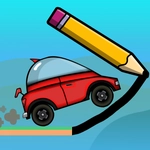
📝Draw Bridge Challenge Overview
One wobbly line stands between a car and a canyon drop — sketch a bridge that actually holds and watch the chaos unfold.
💬What is Draw Bridge Challenge?
Look, I've played a lot of drawing-physics games, and most of them either hold your hand or smack you with impossible jumps. Draw Bridge Challenge lands right in the sweet spot. You trace a line across a gap, the game turns that line into a physical bridge, and a little car rolls over it. If your bridge sags too much, the car tumbles. If you overbuild, it bounces off. There's no timer, no upgrade tree, just you, a pencil line, and gravity.
The real hook is how differently each level feels depending on the gap width, car weight, and terrain. One moment you're drawing a simple arch over a tiny ditch, the next you're engineering a multi-support monstrosity for a truck that clearly skipped leg day. I kept coming back after failures because the retry is instant — tap, redraw, go. There's a specific moment when you draw a bridge that looks absolutely ridiculous, all loops and extra lines, and the car somehow crosses while the structure spasms like a dying spider. That's when the game clicks.
Don't expect realistic engineering. Your lines have a fixed thickness and join at intersections, which means spamming extra supports sometimes works better than being clever. Use that. The game rewards experimentation far more than precision, and the janky physics are the point. If you're the type who abandoned bridge-builder sims because they got too complex, this is the arcade version that scratches the same itch without the spreadsheet.
👥How to Play Draw Bridge Challenge
Slide to draw
✨Game Tips
Start with a simple sagging curve, not a flat line — flat bridges snap under the car's weight.
Add a second line under your first one to form a truss-like triangle; it triples strength for nearly zero effort.
Long gaps are easier if you draw a steep arch instead of trying to span straight across.
Watch where the car's front wheel first touches the bridge and reinforce that exact spot.
If a truck keeps falling through, draw three parallel lines close together with small zigzag connectors.
Don't overthink it — sometimes a messy scribble with many intersections holds better than a clean design.
🔧FAQ
Q: Is Draw Bridge Challenge free to play?
A: Yes, it's completely free in your browser with no paywall or premium levels.
Q: Can I play Draw Bridge Challenge on my phone?
A: Yes, the HTML5 version works on mobile browsers and uses touch controls for drawing.
Q: Do I need to download or install anything?
A: No downloads needed. Just open the game page and start drawing immediately.
Q: Does Draw Bridge Challenge require a mouse or can I use a trackpad?
A: A mouse is easier for smooth lines, but a trackpad or touchscreen works fine as well.
Q: Is there a level editor or sandbox mode in Draw Bridge Challenge?
A: No editor, but every level can be replayed instantly if you want to test different bridge designs.
Q: Does Draw Bridge Challenge have any ads?
A: The web version shows minimal ads between levels, but they never interrupt the drawing itself.