
Draw Cube Leg
Play Count0
Published2022-07-29
Supported DevicesPC + Mobile
CategoryArcade & Classic
Rating★★★★★5.0Rate this game
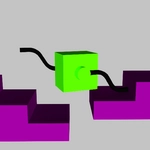
📝Draw Cube Leg Overview
Your cube can't walk. Draw it a leg, hit play, and watch physics decide if you're a genius or a monster.
💬What is Draw Cube Leg?
Draw Cube Leg is one of those deceptively simple browser games that eats an entire lunch break. You get a cube. The cube has no limbs. Your job? Scribble a leg onto the canvas and pray it can actually take a step. Drag and draw is the whole control scheme, but don't let that fool you—every line, curve, and accidental bump changes how the thing moves. I spent ten minutes drawing what I thought was a perfect muscular leg, only to watch my cube faceplant because I made the ankle too thin.
The physics are the real star here. A short stubby leg might keep the cube stable but won't cover much ground. A long spindly leg looks cool until it snaps under the cube's weight. You learn to think like a clumsy engineer: wide feet help on slopes, joints bend at the wrong moment if you draw them too thick. Each level tweaks the challenge—maybe there's a gap, a wall, or a downhill section where momentum matters. There's no timer in most spots, so you can experiment freely. That's where the fun lives. You'll redraw the same leg fifteen times, inch your cube forward, then suddenly nail a shape that sends it galloping across the finish line. That moment feels earned, not given.
Is it perfect? The drawing hitbox can feel a little fussy if you're using a mouse on a bumpy desk. But honestly, that's part of the charm. It's a sandbox for people who like tinkering. If you enjoy games like Crayon Physics or Draw a Stickman, this scratches the same itch. Just don't blame me when your cube refuses to move because you accidentally drew a boot instead of a leg.
👥How to Play Draw Cube Leg
Drag & Draw
✨Game Tips
- Draw the foot slightly wider than the leg—it stops the cube from tipping forward on flat ground.
- Test tiny tweaks between attempts. Even a 5-degree line change can turn a faceplant into a sprint.
- For uphill sections, make the leg shorter and stiffer; long legs bend too much and lose push.
- Don't ignore the ankle. A thin ankle acts like a crumple zone, which is bad unless you want comedy.
- If your cube spins backward, your leg is probably curved the wrong way—redraw it straighter.
🔧FAQ
Q: Is Draw Cube Leg free to play?
A: Yes, it's completely free in your browser—no paywalls or locked levels.
Q: Can I play Draw Cube Leg on mobile?
A: Yes, the drag-and-draw controls work fine on touchscreens, though a stylus helps with fine lines.
Q: Do I need to download anything to play?
A: No downloads needed. It runs on HTML5, so just open the page and start drawing.
Q: What if my cube won't move?
A: Check the leg's angle and thickness. A leg that's too thin or bent backward won't generate forward push.
Q: Is there a way to restart a level quickly?
A: Yes, most versions have a reset button or you can just redraw over the existing leg to replace it.
Q: Does Draw Cube Leg save my progress?
A: Progress usually saves automatically in your browser, but clearing cookies may reset it.