
Draw Parking
Play Count0
Published2020-11-03
Supported DevicesPC + Mobile
CategoryArcade & Classic
Rating★★★★★5.0Rate this game
📝Draw Parking Overview
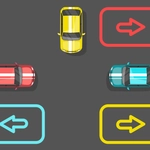
Draw a line from the car to the parking spot, then watch physics decide if your shaky scribble is actually a road.
💬What is Draw Parking?
You get one tool: a pen. And one job: draw a road that gets your tiny car from where it is to where it needs to park. Sounds easy, right? Then you hit the first curb, your carefully drawn line turns into a launch ramp, and the car flips over a fire hydrant. That's when it clicks—every stroke matters, and the physics engine has zero mercy.
The levels start almost too simple, just a straight line and a spot, but by level ten you're sketching around moving barriers, over gaps, and through narrow alleys that make you hold your breath. I spent way too long on one level where the parking spot was on a ledge. First attempt, I drew a gentle slope. The car made it halfway up, then slid back down and nudged a bin. Second attempt, I went steeper. It launched over the ledge entirely, bounced off the background wall, and somehow settled into the space. Counted. I don't know if it was skill or luck, but I'll take it.
What I appreciate is that the game doesn't punish experimentation. You can redraw as many times as you need. The line itself acts like a physical rail—thin lines flex under the car's weight, thick lines are sturdier but harder to pull off tight turns. There's a subtle strategy in choosing your line thickness and drawing stroke style. Flick your mouse fast for a dashed line? No, that just breaks. You have to be deliberate. And on a touchscreen, it's even better: your finger is the pen, and the car follows exactly what you trace.
Draw Parking is one of those games that looks like a kid's doodle but plays like a puzzle with real consequences. If you're the type who thinks you can outdraw physics, this will humble you in the best way.
👥How to Play Draw Parking
Click and drag to draw.
Touch and drag to draw.
✨Game Tips
Draw slightly above the actual ground path—the car's wheels clip edges easily and you'll do a flip.
For sharp turns, use two quick strokes connected at an angle instead of one long curve.
A thicker line acts like a wall, so use it when you want the car to stop exactly at the spot.
If the car flips or stalls, just redraw the last few centimeters of your line; no need to nuke the whole path.
Ramps are your friend on ledges—make the line steeper than you think, then flatten it right before the spot.
🔧FAQ
Q: Is Draw Parking free to play?
A: Yes, it's completely free on this site. No hidden charges or premium unlocks.
Q: Can I play Draw Parking on my phone?
A: Absolutely. Touch and drag works great, and the line draws under your finger.
Q: Do I need to download anything?
A: No download or install. It runs right in your browser, even on school-chromebook friendly setups.
Q: What if my drawn line doesn't work?
A: Just redraw. You can erase and try again as many times as you need per level.
Q: How many levels does Draw Parking have?
A: Plenty—over 30, with more complexity as you go. You won't finish it in one sitting.
Q: Does the line need to be perfect?
A: Not at all. The car follows whatever you draw, so even a messy line can work if the geometry works.