
Draw Tattoo
Play Count0
Published2020-04-15
Supported DevicesPC + Mobile
CategorySkill & Precision
Rating★★★★★5.0Rate this game
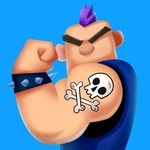
📝Draw Tattoo Overview
Can you keep your hand steady enough to trace flawless tattoo designs? Guide the needle, fill the shapes, and watch your ink come alive on skin.
💬What is Draw Tattoo?
There's a weirdly satisfying moment in Draw Tattoo when the needle clicks against the stencil's edge and you realize you've been holding your breath for the last three seconds. The loop is dead simple: pick a design, press the needle to the skin, and drag along the outline to fill the shape. But "simple" doesn't mean easy. One jittery finger movement and you'll leave a wobbly line that would get you fired from any real tattoo parlor. I kept restarting the butterfly design three times just to get the upper wing symmetrical.
The controls feel tuned for both mouse and touch. On desktop, you'll make tiny, deliberate movements with your wrist. On mobile, you can zoom in—or at least pinch—to get a better angle on tight curves. The game feeds you designs in a rising difficulty curve: circles and straight lines first, then stars, skulls, and floral patterns with fiddly little gaps you need to close perfectly. The auto-fill kicks in only after you've traced the entire border, so there's a genuine payoff moment when the color floods the shape.
It's one of those games that looks like a coloring app but plays more like an operation board game. You're not being timed, so the pressure is entirely self-imposed—which somehow makes it worse. I'd recommend it for quick breaks, but don't be surprised if you spend twenty minutes chasing a "clean" run on the snake design.
👥How to Play Draw Tattoo
Get ready to feel the satisfaction of watching your art become real tattoos! Relax and use your precision to point and aim the needle to fill in the shapes.
✨Game Tips
- Trace the entire outline before worrying about filling—closing the loop is what triggers the auto-color.
- On a phone, rest your hand on the screen edge to steady your finger for long curves.
- If a line goes wobbly, don't panic; retrace it slowly and most errors smooth out.
- The star points are the real test—pause briefly at each corner to reset your aim.
- Skip the easy designs once you've got the hang of it; harder patterns show up earlier than you think.
- Turn up the volume—the needle sound gives you a rhythm that helps prevent overcorrection.
🔧FAQ
Q: Is Draw Tattoo free?
A: Yes, it's completely free to play in your browser with no paywalls or hidden fees.
Q: Can I play Draw Tattoo on my phone?
A: Yes, the touch controls work great on mobile browsers.
Q: Do I need to download anything to play Draw Tattoo?
A: No download needed. It runs in HTML5 directly on the website.
Q: What if I make a mistake while drawing?
A: You can usually retrace the line to correct it, and the game gives you multiple passes.
Q: Is Draw Tattoo suitable for kids?
A: Yes, it's non-violent and focuses on precision and creativity.
Q: How many tattoo designs are in the game?
A: There are multiple designs with increasing complexity as you progress.