
Draw to Crush
Play Count0
Published2025-03-24
Supported DevicesPC + Mobile
CategoryArcade & Classic
Rating★★★★★5.0Rate this game
📝Draw to Crush Overview
Your scribbles don't just sit there—they turn into heavy chunks that topple towers and squash enemies in this oddly satisfying physics puzzle.
💬What is Draw to Crush?
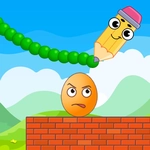
Most drawing games ask you to trace a path or doodle a pretty picture. Draw to Crush wants you to weaponize your sketches. You draw a line or shape, it drops as a solid object, and gravity does the rest. Crates tip over, platforms snap, little stick dudes get flattened. There's a mean little pause before everything falls, and that's the part I kept replaying.
The levels start deceptively simple. First you draw a simple block over a seesaw; then you're drawing hinges, ramps, and lopsided anvils to chain reactions across whole rooms. The physics engine is forgiving but not stupid—draw too skinny and your object flops uselessly; too bulky and it smashes through everything including the thing you were supposed to protect. Figuring out the exact scribble that just barely works feels like solving a violent puzzle.
It runs right in your browser, no download, works fine with mouse or touch, and the unblocked version means you can waste a lunch break on it without anyone caring. Some later stages introduce moving gears and explosives, and if you're the type who likes watching block towers collapse in slow motion, you'll finish a level and immediately redraw a dumber, bigger hammer just to see what breaks. I once drew a giant wobbly circle that rolled off a ledge and flattened three enemies at once—completely by accident, and I'm still proud of it.
👥How to Play Draw to Crush
Mouse click or tap to play
✨Game Tips
Sketch thick lines for heavy impact, but leave clearance so your block doesn't wedge against the wall.
Draw near the top of the screen to let gravity build up speed before it hits.
If a tower won't fall, try drawing a small hinge shape on one side instead of a flat slab.
Use two short lines instead of one long one if the target is narrow—they spread the force.
Restart instantly with the on-screen button; experimenting with weird shapes is half the fun.
On touch screens, drag slowly with a stylus or fingertip—fast swipes make lines too thin to do real damage.
🔧FAQ
Q: Is Draw to Crush free?
A: Yes, it's completely free to play in your browser with no hidden purchases or sign-ups.
Q: Can I play Draw to Crush on mobile?
A: Absolutely. The game supports touch controls, so just tap and drag to draw your shapes on any phone or tablet.
Q: Do I need to download or install anything?
A: No downloads needed. It runs on HTML5, so open the game page and start playing immediately.
Q: What's the actual goal in Draw to Crush?
A: Draw objects that fall under gravity to knock down structures, crush enemies, or trigger chain reactions to clear each level.
Q: Is there a limit to how many times I can restart a level?
A: No limit. You can redraw and retry as many times as you want until you find a solution that works.
Q: Does the game get harder?
A: Yes, later levels add moving gears, explosives, and tougher structures that need more creative drawn shapes.