
Drift Car Simulator
Play Count0
Published2019-09-02
Supported DevicesPC
CategoryDriving & Racing
Rating★★★★★5.0Rate this game
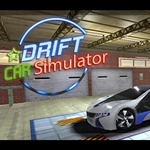
📝Drift Car Simulator Overview
Toss the rear end out, feather the throttle, and chain corners into one endless, tire-smoking slide—this is drift heaven with zero rules.
💬What is Drift Car Simulator?
I spent way too long on the first corner trying to hold a clean drift instead of just pinning the gas and praying. Drift Car Simulator rewards the patient approach—feather the arrow keys, tap the spacebar to kick the back end out, and then balance the slide with small throttle corrections. It's not about top speed; it's about angle, smoke, and keeping the car sideways past the clipping points. The camera button (C) helps too, cycling through views until you find the one that makes your line feel readable.
The cars handle like they have actual weight. Too much handbrake and you'll spin out into a barrier, too little and you understeer wide into a wall. There's no career mode or upgrade tree breathing down your neck—just an open asphalt playground where you can chase your own ghost or just cook tires for the fun of it. I kept coming back to one sweeping left-hander, trying to link it into a right transition without lifting; when it finally clicked, the car flowed through both corners with the tach needle dancing. That's the fix.
If you're after realistic force feedback or licensed JDM icons, look elsewhere. This is a browser drift toy that understands the core loop: get sideways, hold it, repeat. The ESC pause menu means you can reset quickly after a sloppy run, and because it runs in HTML5, you won't need to install anything. Perfect for a quick session between classes or when you just need to make tire noise.
👥How to Play Drift Car Simulator
Use ARROW Keys to Ride. SPACE Bar for handbrake. C for changing camera view. ESC is for pause menu.
✨Game Tips
Tap the handbrake instead of holding it—short pulses keep the car sliding without looping out.
Use C to switch camera until you find one that shows the corner exit early.
Ease off the gas right before the apex, then get back on power to widen the drift.
Start on long sweeping corners; tight hairpins need much later braking and more handbrake.
After a bad spin, ESC to pause then restart quickly instead of reversing forever.
🔧FAQ
Q: Is Drift Car Simulator free?
A: Yes, it's completely free to play in your browser with no hidden fees or subscription.
Q: Do I need to download anything?
A: No download required. It runs on HTML5, so just open the page and start driving.
Q: Can I play Drift Car Simulator on my phone?
A: The game is designed for keyboard controls, so a desktop or laptop is recommended for best handling.
Q: How do I drift properly?
A: Use the arrow keys to steer and throttle. Tap spacebar for handbrake; pulse it to maintain angle without spinning.
Q: What does the C key do?
A: The C key cycles through different camera views so you can pick the angle that helps you read the corners.
Q: Is Drift Car Simulator blocked at school?
A: If the site is accessible on your network, the game should load fine since it's an unblocked HTML5 title.