
Drift City
Play Count0
Published2021-10-15
Supported DevicesPC
CategoryAction & Fighting
Rating★★★★★5.0Rate this game
📝Drift City Overview
Slide through neon-lit intersections at 80 mph, hold the handbrake, and chain drifts until your tires smoke.
💬What is Drift City?
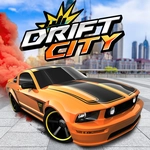
Drift City drops you behind the wheel of a low-slung sports car in a sprawling urban playground. There's no finish line, no bumper-to-bumper traffic, just you, the asphalt, and a handbrake begging to be yanked. You'll spend most of your time hunting down wide corners, late-apexing around buildings, and feathering the throttle to keep the rear wheels spinning just enough to paint long black arcs across the pavement. The controls are simple—WASD or arrows to drive, Space to rip the handbrake, F for nitro, C to cycle cameras—but the feel is surprisingly weighty. That little pause as the car rotates before the tires bite again is what keeps you coming back.
What I love about this one is the freedom. You can cruise the highway making clean, high-speed drifts, or you can dive into the downtown maze and link tight alleyway slides. The nitro meter refills as you drift, so there's this satisfying loop: build angle, hold it, burn nitro, repeat. I found myself ignoring the roads entirely after a while, using the central fountain as a circular drift pad, holding one long continuous slide while the camera spins around the car. Hit C a few times and you get a cinematic chase cam that makes every near-miss with a lamppost feel like a stunt reel.
A couple of rough edges, sure—the walls are covered in invisible glue, and sometimes the camera swings behind a building mid-drift. But those little janky moments are part of its charm. It's not trying to be a polished racing sim; it's a drift sandbox that lets you make your own fun. If you've got ten minutes and need to decompress, load it up, find an empty intersection, and just sling the car sideways. You'll understand.
👥How to Play Drift City
Control: W,A,S,D or Arrow keys,
Handbrake : Space,
Camera Chance: C,
Nitro : F,
Lights : L,
✨Game Tips
Tap Space before the turn, not during, to break traction early and set your angle.
Build nitro by holding long drifts, then hit F on a straight to carry speed into the next corner.
Switch to the cinematic camera with C when you're in a big, open area—it makes drifts look twice as good.
Look for wide roads like the highway loop or the plaza around the fountain; tight alleys kill momentum.
If your drift starts to straighten out, countersteer slightly and feather the throttle instead of braking.
Don't worry about crashing; the reset is quick, but avoid tapping walls because it stops your drift chain and nitro build-up.
🔧FAQ
Q: Is Drift City free to play?
A: Yes, it's completely free in your browser. No hidden fees or paywalls.
Q: Do I need to download anything to play Drift City?
A: No downloads required. It runs on HTML5, so just open the page and play.
Q: Can I play Drift City on mobile?
A: The game is designed for keyboard controls. On mobile you may get on-screen buttons, but it's best on a desktop.
Q: What are the controls for Drift City?
A: Use WASD or arrow keys to drive. Space is handbrake, F is nitro, C changes camera, L toggles lights.
Q: Is there a goal or mission in Drift City?
A: No missions. It's a free-roam drift sandbox—you set your own challenges and practice drifting.
Q: Does Drift City have multiplayer?
A: No, it's a single-player experience. You drift solo through the city at your own pace.