
Drift Hunt
Play Count0
Published2024-03-19
Supported DevicesPC
CategoryDriving & Racing
Rating★★★★★5.0Rate this game
📝Drift Hunt Overview
Slide sideways through every corner, feather the throttle, and chase the perfect drift line while smoke pours off your rear tires.
💬What is Drift Hunt?
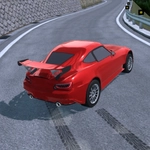
You know that feeling when the rear tires let go and everything goes quiet except the engine screaming? That's basically the whole loop here, and it's addictive. Drift Hunt drops you into a small open area with a couple of different cars and tells you to go slide. There's no race, no opponents, no timer staring you down. Just you, a car, and a bunch of corners with barely any runoff. I grabbed the first car, pointed it at a hairpin, and immediately spun out. Took me a few runs to learn that you can't just mash the throttle—you have to feather it, catch the slide with opposite lock, and then ride the edge of grip. That's the whole game.
The controls are simple but they hide some depth. WASD or arrows to drive, space for handbrake, and C to flip between camera angles. I ended up using the chase cam for judging distance, but the hood cam is great for precise throttle work. One thing I didn't realize at first: you can press R to reset instantly, which saves so much time when you've wrapped your car around a barrier. And U toggles the speedometer units, which is a nice touch if you're used to mph or km/h. Holding the handbrake too long just kills your speed, so I started treating it like a tap to flick the rear out, then controlled the slide with throttle and steering.
It's not a game with a story or progression beyond unlocking cars, but that's fine. It's a sandbox for practicing drift technique, and there's something meditative about linking corner after corner without a mistake. If you're into car control, you'll lose an hour here without noticing.
👥How to Play Drift Hunt
Navigate the vehicle using the WASD keys or the Arrow keys.
Apply the handbrake with the Space key.
Switch the camera angle by pressing C.
Reset the vehicles position with R.
Toggle between KMH and MPH using U.
Start or stop the engine by pressing I.
Ente
✨Game Tips
Tap the handbrake mid-corner instead of holding it to keep your angle without losing speed.
Switch camera with C to find the view that helps you judge the car's rear.
Reset with R the moment you spin out—no point waiting for the car to stop.
Feather the throttle gently; full throttle makes the rear snap around too fast.
Use U to toggle KMH/MPH if you're used to seeing one unit.
🔧FAQ
Q: Is Drift Hunt free?
A: Yes, it's completely free to play in your browser.
Q: Can I play Drift Hunt on mobile?
A: Yes, it works on mobile browsers, but keyboard controls are best on desktop.
Q: Do I need to download anything?
A: No download needed—just load the page and start drifting.
Q: How do I reset my car if I get stuck?
A: Press R to instantly reset your car back on the track.
Q: Can I change the camera angle?
A: Press C to cycle through different camera views.
Q: Is there a way to switch speed units?
A: Press U to toggle between KMH and MPH.