
Drift Racing Top Gear Simulator
Play Count0
Published2023-08-25
Supported DevicesPC
CategoryDriving & Racing
Rating★★★★★5.0Rate this game
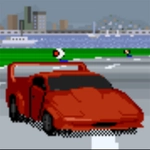
📝Drift Racing Top Gear Simulator Overview
Throw a drift combo through the hairpin while your friend tries to shove you off the apex — then swap cameras mid-slide just to flex.
💬What is Drift Racing Top Gear Simulator?
I'm not sure if this was meant to be a serious simulation or an excuse to see who can hold a slide the longest, but either way it works. You grab a car, point it at the first corner, and then spend the next five minutes trying to convince it to go sideways instead of straight into a barrier. The drift physics feel loose in the exact right way: tap the handbrake early, let the rear step out, then feather the throttle while the tires scream. If you overdo it, you'll spin. If you underdo it, you'll plow. Finding that sweet spot is the whole game.
The two-player setup is where it gets mean. Player one takes the arrows, player two gets WASD, and you can both change camera with V or C respectively. It's not just racing — it's psychological warfare. I kept cutting my friend off on the inside of turn three just to watch him understeer into the grass, then I'd switch to the chase cam mid-drift so I could see his car disappear in the smoke. The tracks aren't huge, which means you'll bump into each other constantly. That's a feature, not a bug. The car selection is limited but each one has a slightly different drift profile, so you'll find a favorite. My advice: don't pick the fastest one. Pick the one that rotates the easiest. Speed is useless if you can't hold the line. If you're playing solo, the AI will happily punt you into a wall if you leave a gap, so learn to defend the inside line early. The camera switching is actually useful in drift battles — first-person feels immersive but you lose sight of the apex, while the top-down view lets you plan your entry angle. I'd usually start in chase cam, then flip to top-down for tight hairpins.
👥How to Play Drift Racing Top Gear Simulator
player 1: arrow keys - move, V - change camera
player 2: WASD - move, C - change camera
✨Game Tips
Tap the handbrake before the corner, not in the middle of it — that's how you spin.
Use V or C mid-drift to switch cameras; top-down makes it easier to judge angle.
In two-player mode, block the inside line early or your friend will divebomb you every time.
Pick a car that rotates well over one with high top speed — drift scoring rewards control, not speed.
Let off the throttle slightly when the rear starts to overtake you; small adjustments beat big corrections.
For solo play, stay wide on entry and cut late to avoid the AI's bumper.
🔧FAQ
Q: Is Drift Racing Top Gear Simulator free?
A: Yes, it's completely free to play in your browser with no hidden fees.
Q: Can I play Drift Racing Top Gear Simulator on mobile?
A: The game is designed for desktop keyboard controls, so mobile play isn't supported. Use a PC or laptop.
Q: Do I need to download anything to play?
A: No downloads needed. The game runs in your web browser with HTML5.
Q: Can I play with a friend on the same computer?
A: Yes, player 1 uses arrow keys and player 2 uses WASD for local two-player races.
Q: Does it support gamepads?
A: No native gamepad support is included; keyboard controls are the main input method.
Q: Is there a single-player mode or only multiplayer?
A: You can race solo against AI opponents, so it works fine even without a second player.