
Drive In City 3D
Play Count0
Published2023-02-13
Supported DevicesPC
CategoryAction & Fighting
Rating★★★★★5.0Rate this game
📝Drive In City 3D Overview
Tear through congested city avenues at full throttle, weaving between buses and taxis while the speedometer climbs past 120.
💬What is Drive In City 3D?
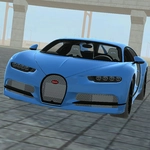
Drive In City 3D drops you behind the wheel of a surprisingly twitchy sedan and sets you loose on roads that feel like rush hour in every direction. The keyboard setup is dead simple: arrows handle steering, acceleration, and braking. You'll learn within seconds that flooring it into a packed intersection is a fast pass to a respawn screen. I found myself hunched forward, muttering at AI drivers who brake-check me for no reason.
The real hook here isn't racing—it's survival through chaos. Traffic patterns shift constantly, and the gaps between cars close fast. You start to read the road like a hawk: a yellow taxi drifting left means you can squeeze right, a delivery truck hugging the curb leaves a narrow lane open. The 3D visuals aren't flashy, but the sense of speed works. Buildings blur past, and the occasional near-miss actually makes your stomach drop. There's no story, no upgrades, just you, the asphalt, and a city that clearly wants you to crash.
What kept me coming back was the pure reflex challenge. Every run is a little different because the traffic spawns feel alive. You'll ruin a clean streak by getting greedy on a turn, then immediately restart because the adrenaline hasn't faded. It's the kind of game you can pick up for five minutes and lose an hour to without noticing.
👥How to Play Drive In City 3D
Keyboard Controls
✨Game Tips
Brake earlier than you think near intersections—traffic never yields.
Stick to the middle lane so you have escape routes on both sides.
Use short, sharp taps on the steering instead of holding the key down.
Watch for AI cars that suddenly switch lanes without signaling.
Build speed on long straightaways, but ease off around parked cars and bus stops.
🔧FAQ
Q: Is Drive In City 3D free to play?
A: Yes, the game is completely free with no paywalls or hidden fees.
Q: Can I play Drive In City 3D on my phone?
A: It works best with a keyboard, but many mobile browsers support on-screen controls.
Q: Do I need to download or install anything?
A: No downloads needed—just open the game in any modern browser and start driving.
Q: What are the keyboard controls?
A: Use the arrow keys: up to accelerate, down to brake, left and right to steer.
Q: Is Drive In City 3D unblocked at school or work?
A: Yes, it runs as an HTML5 game and usually bypasses network restrictions.
Q: Does the game work offline?
A: Once the page loads, you can keep playing even if your connection drops.