
Driver Run 3D
Play Count0
Published2025-05-15
Supported DevicesPC + Mobile
CategoryArcade & Classic
Rating★★★★★5.0Rate this game
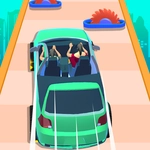
📝Driver Run 3D Overview
Strap in, tap to swerve, and thread your car through oncoming traffic in this twitchy 3D arcade survival run.
💬What is Driver Run 3D?
Driver Run 3D is that kind of arcade twitch game where you're one wrong tap from a wreck. You control a car on a busy highway, and your job is brutally simple: don't die. Tap or click to switch lanes, weaving between sedans, trucks, and sudden roadblocks. The speed builds fast, the gap between cars tightens, and before long you're white-knuckling your mouse or phone. I died maybe forty times in my first ten minutes, and honestly? I kept hitting restart.
The 3D camera sits right behind your car, so you get a clear view of what's coming, but the real skill is reading traffic two or three vehicles ahead. There was one run where I squeezed between a bus and a concrete barrier with what felt like a pixel to spare—my heart actually jumped, and I'm not exaggerating. The road layout reshuffles every time, so you can't just memorize a safe path. Sometimes the game throws a curved section or a narrow lane at you just to mess with your timing. One thing I appreciated: the hitbox feels fair. You won't explode because a mirror grazed a taillight—the game gives you a little grace when you're brushing past another car, but slam into a truck and it's over instantly. That balance keeps it frustrating in a good way.
Visually it's clean and bright, nothing fancy, but perfect for quick sessions. Sound effects are basic but satisfying, especially that near-miss whoosh. On mobile, tap controls are snappy and responsive; on desktop, clicking works fine but you might prefer the keyboard arrows if you're used to them. Either way, the core loop is the same: react, survive, score, repeat. It's free, it's fast, and it rewards twitchy fingers. If you've got five minutes and need a jolt of adrenaline, this thing delivers. Just don't blame me when an hour disappears.
👥How to Play Driver Run 3D
Mouse click or tap to play
✨Game Tips
Focus on the road three cars ahead, not the car directly in front.
Tap or click a hair earlier than feels right—your car takes a beat to change lanes.
Near misses give bonus points, so hug the edge of safe gaps.
Don't restart after a wreck; the new layout might be easier or harder, so just play it.
If you're on desktop, a mouse click can be slower than a keyboard arrow—test both and stick with what feels faster.
Speed isn't the only thing that ramps; oncoming traffic appears more often after 500 points.
🔧FAQ
Q: Is Driver Run 3D free to play?
A: Yes, it's completely free. No hidden payments or premium unlocks—just open and play.
Q: Can I play Driver Run 3D on my phone?
A: Yes, the game works on mobile browsers. Tap the screen to switch lanes, nothing to install.
Q: Do I need to download anything to play?
A: No downloads needed. It runs right in your web browser as an HTML5 game.
Q: What's the best strategy for high scores?
A: Train your eyes to look two or three cars ahead. Early lane changes give you more time to react.
Q: Does Driver Run 3D have multiplayer or levels?
A: No multiplayer, no levels. It's an endless runner—your score is just how far you survive.
Q: Why does my car crash sometimes when I barely touch another vehicle?
A: The hitbox is fair but not forgiving. Frontal or side collisions end your run instantly, so leave a small gap.