
Dual Control 3D
Play Count0
Published2020-12-07
Supported DevicesPC
CategorySkill & Precision
Rating★★★★★5.0Rate this game
📝Dual Control 3D Overview
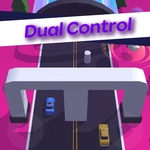
Your brain will beg for mercy as you guide two independent pieces through a 3D maze that never stops turning.
💬What is Dual Control 3D?
So the whole gimmick here is right in the title: you're moving two things at once with the same arrow keys. One tap left nudges both pieces, one tap forward pushes them together. That sounds simple until you realize the track is full of ledges, moving platforms, and tight corners where what saves one piece launches the other into the void. I kept losing because I'd focus too hard on the left sphere and completely forget the right one was teetering on the edge. The 3D camera doesn't help—it swings around at the worst moments, so you're constantly reorienting.
What makes it addictive is how your brain gradually splits into two channels. At first you'll overcorrect constantly, sending both pieces into a wall. Then something clicks and you start tapping the keys in these tiny, deliberate pulses instead of holding them down. The game rewards that shift. There's a real rhythm to it, almost like patting your head and rubbing your stomach while walking a tightrope. Every successful section feels earned, and every death is usually your own fault—not the game cheating you.
If you like games that punish multitasking in the best way, this one will eat an afternoon. It's not long, but you'll replay it just to beat your own time or get through that one stretch that kept wrecking you. Wear headphones, because the sound cues help you track both pieces without looking directly at them. And don't blame the keyboard when you fail; blame your split attention.
👥How to Play Dual Control 3D
Arrow Keys - Move
✨Game Tips
Tap the arrow keys in short bursts instead of holding them—long presses send both pieces careening.
Keep both pieces in your peripheral vision at all times; staring at one is a death sentence.
When one piece is near an edge, prioritize it even if the other is in open space.
Learn the track layout after a few runs; knowing what's coming lets you pre-plan your key taps.
If the camera swings around, stop moving for a split second until you reorient—panic moves kill.
Practice the first section until you can do it without thinking, then carry that muscle memory forward.
🔧FAQ
Q: Is Dual Control 3D free to play?
A: Yes, it's completely free in your browser with no hidden costs.
Q: Can I play Dual Control 3D on mobile?
A: The arrow keys are required, so a physical keyboard is strongly recommended. Mobile touch controls are not supported.
Q: Do I need to download anything to play?
A: No download needed. It runs directly in your web browser as an HTML5 game.
Q: What are the controls for Dual Control 3D?
A: Use the arrow keys to move both pieces simultaneously. Up, down, left, and right affect both objects at once.
Q: Is this game very difficult?
A: It starts challenging and gets trickier as you progress. Expect to fail often, but each retry teaches you something.
Q: Can I play Dual Control 3D on a school computer?
A: Yes, as long as the school network allows browser games, it should work fine without any installation.