
Dual Control Racing Stunt 3D
Play Count0
Published2026-01-13
Supported DevicesPC + Mobile
CategoryArcade & Classic
Rating★★★★★5.0Rate this game
📝Dual Control Racing Stunt 3D Overview
Hold left mouse to gun one car, right mouse for the other, and pray your brain can split fast enough to nail every ramp and loop.
💬What is Dual Control Racing Stunt 3D?
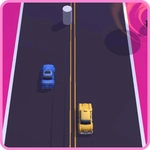
I thought I had decent hand-eye coordination until this game handed me two cars and told me to drive both at once. Left mouse button controls one car, right button controls the other—sounds simple until you're barreling toward a loop while the other car drifts toward a cliff. The 3D tracks are built for chaos: ramps, corkscrews, half-pipes, and narrow bridges that punish any hesitation. It's not a racing sim; it's more like a reflex torture device wrapped in bright colors and forgiving physics. Not too forgiving, mind you—one wrong tap and your car nose-dives into the void.
What kept me coming back was the weird satisfaction of finally syncing my hands. There's a moment on the figure-eight track where both cars hit a jump simultaneously—if you time the buttons right, they land side by side. If you don't, one car slams into the rail and the other flies into a wall. I found myself muttering 'left, right, left' under my breath like a lunatic. The game doesn't hold your hand; you learn by crashing, and crashing, and crashing again. That loop of failure and tiny improvement is exactly what an arcade game should deliver.
You don't need a keyboard—just a mouse and a steady nerve. The buttons are pressure-sensitive for acceleration, so feathering them gives you more control on sharp turns. It's free, it's unblocked, and it runs right in your browser. If you're looking for a deep career mode, look elsewhere. But if you want five minutes of sweaty-palmed stunt driving that tests your multitasking like nothing else, Dual Control Racing Stunt 3D nails it.
👥How to Play Dual Control Racing Stunt 3D
Left & Right Mouse Buttons
✨Game Tips
Tap the mouse buttons lightly instead of holding them down—feathering gives you finer steering on hairpin turns.
Focus on keeping the slower car alive; the faster one can catch up later.
Use the loop's momentum: release the button right before the peak, then re-press on the way down for a clean exit.
Practice on the straight track first to get the left/right rhythm down before attempting the corkscrew.
If a car spins out, don't panic—let go of both buttons and re-center before trying to recover.
🔧FAQ
Q: Is Dual Control Racing Stunt 3D free to play?
A: Yes, it's completely free in your browser. No downloads or payments required.
Q: Can I play Dual Control Racing Stunt 3D on my phone?
A: The game is designed for mouse controls, so desktop is recommended. Mobile browsers may not recognize left/right clicks properly.
Q: Do I need any special software to run the game?
A: No, just a modern web browser with HTML5 support. It runs instantly without plugins.
Q: What do the left and right mouse buttons actually control?
A: Left button accelerates/steers one car, right button controls the other. Pressing both at the same time drives both forward.
Q: How hard is this game? Is it beginner-friendly?
A: The learning curve is steep at first, but the first few tracks are forgiving enough to learn the dual-control rhythm.
Q: Are there different tracks or levels in the game?
A: Yes, the game includes multiple stunt tracks with ramps, loops, and obstacles that progressively increase in difficulty.