
Duo Nether
Play Count0
Published2023-10-09
Supported DevicesPC + Mobile
CategoryAction & Fighting
Rating★★★★★5.0Rate this game
📝Duo Nether Overview
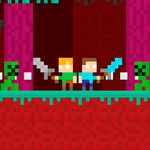
Grab a friend and settle old scores in the Nether: dodge, dash, and hurl swords until only one pixel warrior is left standing.
💬What is Duo Nether?
Duo Nether throws two players into a cramped, lava-lit arena and hands each of you a sword. Player one uses WASD to move and Q to throw, while player two gets the arrow keys and P. The catch? Thrown swords leave you empty-handed for a split second, so every ranged attack is a risk. You'll spend most of each round dancing just outside strike range, trying to bait a whiff before stepping in.
The first time I whipped my sword across the screen and caught my buddy mid-jump, I couldn't stop grinning. He thought he had a clean escape over my head, but the blade clipped his pixel foot. That's the magic here: the hitboxes feel fair but tight, so fights end on razor-thin moments. On mobile, the touch controls split the lower corners of the screen, and dragging your thumb toward the enemy lets you move and slash in one motion.
Rounds are fast, usually ten to twenty seconds, and the nether backdrop adds a nice moody glow without distracting from the duel. Don't bother trying to play solo — this one is strictly a two-player local matchup, so grab someone on the same keyboard or share a phone screen. My advice: learn the exact arc of a thrown sword in practice, because the moment you can thread it through an opponent's jump is the moment Duo Nether clicks.
👥How to Play Duo Nether
*Played with WASD + Arrow Keys.
*Mobile touch control is available
*To throw the sword, use the Q and P keys.
✨Game Tips
Save your sword throw for when your opponent commits to a jump — they can't change direction mid-air.
Stay mobile; standing still makes you a free target for a Q or P throw.
On mobile, keep both thumbs near the action corners and use short swipes instead of long drags.
Try to herd your rival into a corner, then swing when their dodge options run out.
Don't spam throws; being unarmed for even a second is an open invitation to get hit.
Play a few throw-arc practice rounds before betting bragging rights on a match.
🔧FAQ
Q: Is Duo Nether free to play?
A: Yes, it's completely free on unblocked games sites with no paywall or premium unlocks.
Q: Can I play Duo Nether on mobile?
A: Yes, touch controls are supported and the screen splits for two local players.
Q: Do I need to download anything?
A: No download needed — it runs in any modern browser as an HTML5 game.
Q: How many players does Duo Nether support?
A: Exactly two players on the same device, either sharing a keyboard or using touch.
Q: What are the controls for Duo Nether?
A: Player 1 uses WASD to move and Q to throw, Player 2 uses arrow keys and P.
Q: Can I play Duo Nether by myself against a CPU?
A: No, there's no single-player mode or AI opponent — you'll need a second human player.