
Dynamic Jigsaw
Play Count0
Published2024-12-09
Supported DevicesPC
CategoryPuzzle & Thinking
Rating★★★★★5.0Rate this game
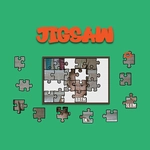
📝Dynamic Jigsaw Overview
Grab a corner piece and settle in—Dynamic Jigsaw turns a pile of scattered fragments into one satisfying click after another.
💬What is Dynamic Jigsaw?
You know that quiet little dopamine hit when a piece snaps into place? Dynamic Jigsaw is built around exactly that. It drops a full image onto the board, then shatters it into pieces you'll drag and drop back together. No timers, no score bar breathing down your neck—just you, the picture, and a whole lot of trial and error.
The 'dynamic' part comes from how the difficulty shifts. Some puzzles hand you a 12-piece starter that feels almost like a warm-up; others ramp up to 100+ pieces where the background texture becomes your best friend. I kept catching myself sorting by edge pieces automatically, the way you do with a cardboard puzzle on a rainy Sunday. The snap feedback is crisp, and when a piece lands near the right spot, it doesn't fight you—it settles in with a soft click that makes you want to place the next one immediately.
What works here is the lack of friction. You can rotate pieces? Actually most versions don't require rotation, so it's pure positional thinking—great for a quick brain break between classes. The image choices are usually bright landscapes or cute animals, which means you're not squinting at tiny color differences. My one gripe: the piece shapes can look samey on larger puzzles, so you'll rely on the picture more than the edges. Still, for a free browser jigsaw, it nails the core loop.
👥How to Play Dynamic Jigsaw
Drag and drop the puzzle pieces using mouse click
✨Game Tips
Start with the four corner pieces—they give you an instant skeleton to build from.
Don't ignore the background color; sort pieces into rough color groups before placing.
Use the edge pieces next, since their flat sides are unmistakable.
If a piece won't snap, zoom out and look at the overall image shape.
Take a break on larger puzzles; your eyes will thank you after staring at 200 tiny fragments.
Drag slowly near the target—the snap zone is generous but not magic.
🔧FAQ
Q: Is Dynamic Jigsaw free to play?
A: Yes, it's completely free in your browser with no hidden paywalls or subscriptions.
Q: Can I play Dynamic Jigsaw on my phone?
A: Yes, the HTML5 version works on most mobile browsers and supports touch dragging.
Q: Do I need to download or install anything?
A: No downloads needed. Just open the game page and start placing pieces immediately.
Q: What does the 'dynamic' part mean?
A: The puzzle can change piece count and image complexity, so difficulty shifts between rounds.
Q: Is there a time limit or score pressure?
A: No timer or scoreboard, so you can relax and work at your own pace.
Q: Can I restart the same puzzle if I lose track?
A: Yes, there's usually a shuffle or reset option to start the current image fresh.