
Easy Kids Coloring Bat
Play Count0
Published2020-09-25
Supported DevicesPC + Mobile
CategoryArcade & Classic
Rating★★★★★5.0Rate this game
📝Easy Kids Coloring Bat Overview
Grab a virtual crayon and bring a friendly bat to life with tap-and-fill colors in this relaxed coloring page.
💬What is Easy Kids Coloring Bat?
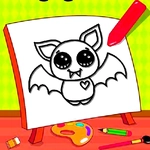
Coloring a bat shouldn't be stressful, and this game nails that. You get a simple outline of a cute bat—big ears, folded wings, a little fanged smile—and a palette of bright colors waiting at the bottom of the screen. Click a shade, then click a section of the bat. The color floods in instantly. No bleeding over the lines, no undo panic. If you hate the green you picked for the wing membrane, just click a different green and it swaps out. The whole thing runs in your browser, so there's nothing to install or sign up for.
But what surprised me is how calming it is even as an adult. There's no timer, no score, no wrong answer. You can make the bat neon pink with orange polka dots if you want, or keep it classic black and purple. Some sections are tiny—the eyes, the little claws on the wing tips—which gives your fine motor skills a gentle workout. I ended up redoing the ears three times because the dark brown looked too serious for such a goofy bat. That's the kind of low-stakes decision making that makes this perfect for kids and parents killing ten minutes together.
One thing to note: it's called 'Easy' for a reason. The sections are large and well-defined, so a toddler with a tablet can manage it. But the bat design has enough detail—those little curved lines inside the ears, the scalloped edges of the wings—to keep a slightly older kid interested. And unlike some coloring games that force you to watch an ad after every page, this one just lets you color. You can clear the page and start over as many times as you like, which is great because my first attempt looked like a bat that fell into a paint factory. In the best way.
👥How to Play Easy Kids Coloring Bat
Mouse or tap to play.
✨Game Tips
Pick the largest sections first to see the bat's overall look before fine details.
Don't worry about staying 'realistic'—purple wings look surprisingly good.
Use the color swap trick: click a new color on the same section to instantly change it.
Zoom in if you can't see the tiny claw sections; they're easy to miss.
Let kids tap anywhere, the game forgives sloppy clicks.
🔧FAQ
Q: Is Easy Kids Coloring Bat free to play?
A: Yes, it's completely free in your browser with no hidden charges.
Q: Can I play Easy Kids Coloring Bat on mobile?
A: Yes, it works on any device with a browser and touchscreen.
Q: Do I need to download anything to play?
A: No downloads or installations required. Just open the game and start coloring.
Q: Is Easy Kids Coloring Bat suitable for toddlers?
A: Absolutely, the large coloring areas and simple tap controls are easy for small hands.
Q: Can I change a color after filling a section?
A: Yes, just select a different color and click the same section to replace it.
Q: Are there any ads in Easy Kids Coloring Bat?
A: The game page may have ads around the play area, but gameplay is not interrupted.