
Easy To Paint GoldFish
Play Count0
Published2023-06-13
Supported DevicesPC + Mobile
CategoryArcade & Classic
Rating★★★★★5.0Rate this game
📝Easy To Paint GoldFish Overview
Grab your virtual brush and turn a plain goldfish outline into a shimmering underwater masterpiece with just a few clicks.
💬What is Easy To Paint GoldFish?
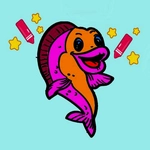
I didn't expect much from a coloring game, but the goldfish won me over. You get a clean outline of a goldfish on screen, a palette of colors along the bottom, and a mouse. That's it. Click a color, then click a part of the fish—scales, tail, fins, the background—and it fills instantly. No brush sizes, no pressure sensitivity, just satisfying color-block painting. It's the kind of game you can play one-handed while half-watching something else, but then you realize you've spent ten minutes deciding between coral pink and sunset orange for the dorsal fin.
The real charm is in the details. The goldfish isn't just a flat shape; it has separate zones for each fin, the gill cover, the eye, even little bubbles in the water. You can leave it realistic or go wild with neon greens and purples. I tried making a rainbow fish once and it looked awful, but that's on me. There's no timer, no score, no fail state—just you and a fish. If you misclick and blob color somewhere wrong, just pick the right color and click again. It's forgiving in the best way.
What surprised me most is how the act of filling shapes becomes meditative. Each click gives a little visual pop as the color spreads. The sound effect, if you have volume on, is a soft click that scratches some brain itch. It's easy enough for a five-year-old, but I'm a grown adult and I kept coming back to try different color schemes. Not every game has to be stressful. Sometimes you just need to paint a goldfish.
👥How to Play Easy To Paint GoldFish
Mouse to play.
✨Game Tips
["Stick to 3 or 4 colors for the fish itself—too many and it turns into a circus act.", "Click the outline of an area first, then fill inward if you want crisp edges.", "There's no undo button, so double-check your color pick before clicking a big zone like the body.", "Use contrasting colors for the background to make the goldfish pop, like dark blue behind a bright orange fish.", "If you're on a trackpad, click rather than drag—it's cleaner and less likely to smear outside the lines.", "Try a monochromatic scheme (all shades of blue) for a surprisingly classy result."]
🔧FAQ
Q: Is Easy To Paint GoldFish free?
A: Yes, it's completely free to play in your browser.
Q: Can I play Easy To Paint GoldFish on mobile?
A: Yes, it works on mobile browsers with touch controls.
Q: Do I need to download anything?
A: No download needed, just open the game and start painting.
Q: What age is Easy To Paint GoldFish suitable for?
A: Kids and adults of any age can enjoy it.
Q: How do I control the painting?
A: Use your mouse or finger to select colors and click areas to fill them.
Q: Can I save or print my artwork?
A: No built-in save feature, but you can screenshot it.