
Eating Candy
📝Eating Candy Overview
Click blocks, swing physics, and roll candy into a piglet's waiting mouth—every level is a sticky physics puzzle with a sweet payoff.
💬What is Eating Candy?
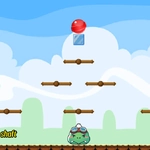
Eating Candy is the kind of physics toy that feels simple for about ten seconds, then quietly turns your brain inside out. You're staring at a piglet with its mouth wide open, a piece of candy perched somewhere up top, and a bunch of blocks, ramps, and platforms in between. Your only job? Click stuff. Remove a block, drop a ball, maybe nudge a spinning wheel. If the candy rolls, bounces, or slides into the pig's mouth, you win. If it tumbles into the void? Well, there's a reset button for a reason.
What surprised me is how much the game gets out of one mechanic. Clicking isn't just deleting objects—it's about timing. You might remove a square block to let a candy drop onto a seesaw, then immediately click a round ball so it rolls down and knocks the candy sideways. I caught myself holding my breath more than once waiting to see if the candy would clear the last ledge. The pig's little satisfied wiggle when it catches a piece is genuinely charming, and the candy colors pop against the bright, playful backgrounds.
It's not a long game, but it's exactly the kind of thing you open for a quick break and end up playing for half an hour. The levels ramp up in cleverness, adding bouncing pads, spinning gears, and even little explosions. If you like physics puzzles that respect your time and don't drown you in tutorials, this one's a treat. And yes, you'll probably start craving something sugary by the end.
👥How to Play Eating Candy
Click to remove objects from the scene. Use physical properties to roll candy into the piglet's mouth.
✨Game Tips
Remove blocks from the bottom first if the candy is stuck—physics often works upward.
Watch the whole level before clicking anything; some objects are decoys or traps.
Click in quick succession to create chain reactions—candy can bounce off moving parts.
Don't be afraid to reset a level; sometimes restarting is faster than undoing one bad click.
Look for hidden sweet spots: sometimes the pig's mouth is lower than you think, use gravity to your advantage.
Pay attention to the candy's shape—round candies roll, square ones slide, and that changes everything.
🔧FAQ
Q: Is Eating Candy free to play?
A: Yes, it's completely free in your browser—no payments or premium levels gate the fun.
Q: Do I need to download Eating Candy?
A: No download required. Just open the page, click, and start rolling candy right away.
Q: Can I play Eating Candy on mobile?
A: Yes, the game works on touch screens. Tap objects instead of clicking to remove them.
Q: Is Eating Candy easy to learn?
A: Extremely. The first level teaches you the basics in seconds, but later levels get much trickier.
Q: What are the controls in Eating Candy?
A: Use your mouse or finger to click or tap objects. That's it—no keyboard needed.
Q: Does Eating Candy work on school or office networks?
A: It's an unblocked HTML5 game, so it runs in most browsers without restrictions.