
Edge Racing
Play Count0
Published2025-08-22
Supported DevicesPC + Mobile
CategoryDriving & Racing
Rating★★★★★5.0Rate this game
📝Edge Racing Overview
Hug the edge, dodge traffic, and keep your reflexes razor-sharp in this breakneck lane-switcher.
💬What is Edge Racing?
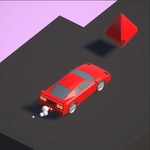
You're pinned to the edge of a neon highway, and one wrong tap sends you spinning into a guardrail. That's the whole tension of Edge Racing in a nutshell. The car moves forward on its own, constantly accelerating, and your only job is to switch lanes by tapping the screen or smacking the spacebar. Sounds simple? It is—until three taxis, a bus, and a motorcycle all converge on the exact gap you were aiming for. I lost count of how many times I thought I had a clean line, only to clip a taillight and watch my best run explode into a shower of polygons.
The brilliance of the game is how it punishes hesitation without ever feeling unfair. You learn to read traffic patterns a full second ahead, choosing between a narrow gap that rewards a coin or a safer lane that buys you breathing room. The score ticks up the longer you survive, so there's this constant push-your-luck tension: do I grab that shiny bonus sitting in the center lane, or do I stick to the edge where the obstacles are thinner? I found myself muttering at the screen after every death, immediately tapping restart because I knew I could shave a couple more points off my best.
What keeps me coming back is how the game respects your time. No menus, no upgrades, no daily quests—just pure reflex testing. The difficulty curve is smooth enough that you'll feel yourself improving with each attempt, and the instant respawn means a full session can last five minutes or an hour depending on how stubborn you are. If you've ever played a hypercasual racer on your phone and wished it wasn't buried under ads and energy systems, this is the version you'll actually want to keep open in a browser tab.
👥How to Play Edge Racing
PC: Left Mouse Button or Spacebar
Mobile: Tap anywhere on the screen
✨Game Tips
Tap a little earlier than you think—the hitbox on your car's rear corner is stingier than it looks.
Focus on the gap two lanes ahead, not the car right next to you.
Don't chase every coin if it means drifting into a wall of traffic.
The edge lane isn't always safe—obstacles spawn there too, so stay ready to bail.
Play a few runs just to get a feel for the lane-switch timing before worrying about score.
If you find yourself spamming taps, slow down your inputs and wait for the next obvious opening.
🔧FAQ
Q: Is Edge Racing free to play?
A: Yes, it's completely free in your browser with no paywalls.
Q: Can I play Edge Racing on my phone?
A: Yes, the game works on mobile browsers and uses tap controls.
Q: Do I need to download anything to play Edge Racing?
A: No download needed—just open the game page and it runs instantly.
Q: What are the controls for Edge Racing?
A: Tap anywhere on mobile or click/spacebar on desktop to switch lanes.
Q: Is Edge Racing unblocked at school?
A: Usually yes, since it's an HTML5 game hosted on unblocked game sites.
Q: Can I play Edge Racing with a friend?
A: No, it's a single-player high score challenge.