
Eiffel Tower Jigsaw
Play Count0
Published2021-05-21
Supported DevicesPC
CategoryPuzzle & Thinking
Rating★★★★★5.0Rate this game
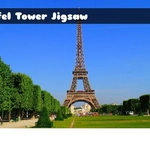
📝Eiffel Tower Jigsaw Overview
Grab a virtual piece and slot it into place—how fast can you rebuild the most famous tower in Paris?
💬What is Eiffel Tower Jigsaw?
Look, I've done a million jigsaw games, and most of them feel like busywork. But something about piecing together the Eiffel Tower's iron cross-hatching hits different. Maybe it's the way the lattice pattern makes every edge piece look nearly identical, forcing you to actually study the reference image instead of brute-forcing corners. Or maybe it's just that the tower is so recognizable that when you finally lock in a chunk of the observation deck, you get a little dopamine kick.
The controls are dead simple—mouse to grab and drag, keyboard if you want to nudge pieces around. No rotation nonsense, which is a mercy. You pick your piece count, from a chill 12-piece afternoon snack to a 100+ piece marathon that'll have you questioning the shape of every sky-blue fragment. I found the mid-range 48-piece setting to be the sweet spot: enough complexity to make you think, not so much that you want to throw your monitor.
One thing I appreciated: the pieces snap with a slight magnetic pull, so you're not pixel-hunting for alignment. The reference image stays in the corner, and you can toggle it off if you're feeling brave. There's no timer, no score, no pressure—just you, a scattered pile of Paris, and a quiet afternoon. If you need a mental reset between classes or meetings, this is it.
👥How to Play Eiffel Tower Jigsaw
Use Mouse To Play and Keyboard
✨Game Tips
Start with the four corner pieces and build the frame first; it's the fastest way to define the play area.
Group pieces by texture—the lattice sections all look similar, but the sky and ground edges stand out.
Use the reference image as a map, not a cheat; glance at the tower's three levels to guess where a piece belongs.
On higher piece counts, sort by color first: blue sky, brown iron, green Champ de Mars.
Turn off the preview once you know the tower's shape to give your brain a real workout.
Don't sleep on the keyboard nudges—tapping arrow keys can help line up stubborn pieces without a mouse shake.
🔧FAQ
Q: Is Eiffel Tower Jigsaw free to play?
A: Yes, it's completely free in your browser—no hidden fees or premium unlocks.
Q: Do I need to download anything to play?
A: No download needed. It runs on HTML5, so just open the page and start puzzling.
Q: Can I play Eiffel Tower Jigsaw on my phone?
A: Absolutely, the touch controls work fine on mobile browsers, though a mouse is more precise for small pieces.
Q: How do I change the number of pieces?
A: Look for the difficulty selector on the start screen—you can pick from a few preset piece counts.
Q: Is there a timer or score pressure?
A: No timer, no score. It's a relaxed puzzle you can take at your own pace.
Q: What if I can't find where a piece goes?
A: Use the reference image and sort by color or pattern; edge pieces are usually the best starting point.