
Endless Path: Twist & Turn
Play Count0
Published2026-04-02
Supported DevicesPC + Mobile
CategorySkill & Precision
Rating★★★★★5.0Rate this game
📝Endless Path: Twist & Turn Overview
Tap at the exact moment the path twists, or you'll tumble off into the void. Endless corners, zero mercy.
💬What is Endless Path: Twist & Turn?
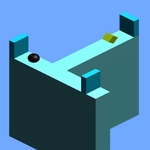
I'll be honest—I expected another throwaway endless runner when I opened this, but Endless Path: Twist & Turn has one of those deceptively simple hooks that eats your lunch break. You're a little glowing dot sliding along a path that just refuses to stay straight. Tap the screen and the path bends under you, snapping your trajectory to the next segment. Miss the timing, and you drift off the edge into a black abyss. The only goal is distance, and the only enemy is your own twitchy thumb.
What got me was how quickly the rhythm changes. Early sections lull you with gentle curves—you think you've got the pattern down. Then the path starts kinking into S-bends and hairpins, and you're tapping twice a second while the speed silently ramps up. I found myself leaning into the turns, literally tilting my phone as if that would help. It doesn't, but you can't stop. The minimalist look helps: no clutter, no power-ups, just you and the path. One run lasts maybe thirty seconds, but you'll restart it forty times.
If you like score-chasing games that rely purely on reflexes, this is a solid pick. It's not deep, but it doesn't pretend to be—it's a tight loop of tension and release. A good one for five-minute gaps between classes or while waiting for a download.
👥How to Play Endless Path: Twist & Turn
Tap on screen to follow the path
✨Game Tips
- Tap just before the corner arrives—the game registers the turn when your finger hits, not when you mentally decide.
- Keep your eyes on the next two segments ahead; looking too far ahead makes you misjudge the current curve.
- Early runs are for learning the turn radius; don't restart just because you died at 100, that's part of the process.
- If you're on a desktop, clicking repeatedly can work, but a touchscreen feels far more precise for the tap timing.
- The speed creep is subtle. When you notice it, shorten your tap intervals—don't wait for visual confirmation.
🔧FAQ
Q: Is Endless Path: Twist & Turn free to play?
A: Yes, it's completely free in your browser with no paywalls or forced ads interrupting runs.
Q: Can I play Endless Path: Twist & Turn on mobile?
A: Absolutely. The one-tap controls are built for touchscreens, and the game runs fine on both iOS and Android browsers.
Q: Do I need to download or install anything?
A: No download needed. It runs directly in a browser as an HTML5 game, so you can start playing immediately.
Q: What are the controls for Endless Path: Twist & Turn?
A: Just tap or click once to make the character follow the next bend in the path. That's the entire control scheme.
Q: Does the game get harder the longer you play?
A: Yes. The path twists more sharply and the speed increases gradually, so later sections demand much faster taps.
Q: Is there a multiplayer or online leaderboard?
A: The core game is single-player only, but it tracks your best distance locally for high score chasing.