
Escape Kid
Play Count0
Published2021-09-30
Supported DevicesPC + Mobile
CategoryAction & Fighting
Rating★★★★★5.0Rate this game
📝Escape Kid Overview
Sprint, leap, and slide through deadly obstacle courses — every room is a trap-filled race, and one wrong step sends you right back to the start.
💬What is Escape Kid?
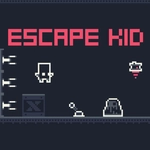
I died on the very first jump. Not because it was hard to time, but because I hesitated. Escape Kid punishes hesitation. You control a tiny blocky kid who moves fast, jumps high, and has zero patience for standing still. Each screen is its own miniature death maze: spikes jutting from floors, lasers sweeping in arcs, crushers slamming together, and moving platforms that feel designed to toss you into the void. No lives, no extra health — just retry from the room's start. It's the kind of game where you'll die twenty times on one room, then clear it on the twenty-first with a weird calm.
The controls are dead simple: WASD or arrow keys, touch, or gamepad. That's it. But the levels demand precision. There's a room with two crushers and a gap between them, and I learned that if you wait for the crusher pattern to sync up, then sprint the moment the second one lifts, you can just barely clear the gap. That tiny window is what makes it addictive. You're not fighting the controls, you're fighting timing, and the kid's momentum feels slippery in a good way — like he's always half a step ahead of your brain. Wall jumps and quick direction changes let you chain movements, and some late rooms feel like solving a puzzle with your feet.
Why play it on an unblocked site? It loads instantly, works on school Chromebooks, and each run is short enough to fit between bells. There's no story, no grinding, no meta nonsense. Just you, the kid, and a room full of things that want to end you. I kept coming back because clearing a room after a dozen deaths gives you that little hit of pure, unearned confidence. You'll yell at your screen, then immediately hit retry. That's the loop, and it works.
👥How to Play Escape Kid
Keyboard (WASD, Arrows), Touch, Gamepad
✨Game Tips
Learn each trap's pattern before you commit — rushing usually kills you faster than waiting.
Use short, quick taps for jumps instead of holding the button; the kid jumps higher with a light press than a full hold.
Hug walls when you're stuck in vertical rooms — wall jumps are your best escape route.
After clearing an obstacle, keep moving forward. Stopping is an invitation for the next trap to hit you.
The timing window is usually bigger than it looks, especially on crushers and lasers. Wait for the visual cue, then move.
If you're on touch, slide your thumb between jump and direction without lifting; it's way faster than tapping separately.
🔧FAQ
Q: Is Escape Kid free to play?
A: Yes, it's completely free with no paywalls or hidden charges.
Q: Can I play Escape Kid on my phone?
A: Absolutely. It works on mobile browsers with touch controls enabled.
Q: Do I need to download anything to play Escape Kid?
A: No download required. It runs directly in your web browser.
Q: Does Escape Kid work on a school Chromebook?
A: Yes, as long as the unblocked site is accessible, the game runs smoothly on Chromebooks.
Q: Is there a multiplayer mode in Escape Kid?
A: No, it's a single-player game focused on solo precision and timing.
Q: What are the controls for Escape Kid?
A: Use WASD or arrow keys on keyboard, touch controls on mobile, or a gamepad if you have one.