
Falling Blocks - Tetris Game
Play Count0
Published2020-10-26
Supported DevicesPC
CategoryPuzzle & Thinking
Rating★★★★★5.0Rate this game
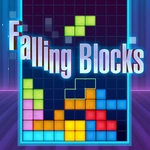
📝Falling Blocks - Tetris Game Overview
Stack falling tetrominoes, clear lines, and chase that perfect run—how high can you go before the screen fills up?
💬What is Falling Blocks - Tetris Game?
Every tetromino drop is a tiny decision. Rotate it, slide it left or right, lock it in—then do it again before the stack reaches the ceiling. This browser version strips Tetris back to the essentials: no power-ups, no weird modes, just the pure falling-block puzzle you remember from Game Boy days. The controls are dead simple, and the first screen lays them out so you can start stacking within seconds. Keyboard controls are intuitive—you'll pick them up from the opening screen in seconds.
I kept coming back for the rhythm of it. Clearing a triple with a tight-fitting T-piece? That's the good stuff. Then the speed ramps up after a dozen lines and suddenly your tidy stack looks like a Jenga tower after an earthquake. The block shadow helps you aim, but under pressure I still slam pieces into the wrong column and watch the game end in a messy pile. That's Tetris, and it still works. The next-piece preview is a lifesaver when you're planning four moves ahead, but don't get cocky—the game knows when to send the worst possible sequence.
If you want a no-frills Tetris fix that loads instantly and runs clean in any browser, this one does the job. No accounts, no downloads, no mid-game interruptions in my playthroughs—just you, falling blocks, and the inevitable panic when the I-piece shows up one line too late. Perfect for a five-minute break or a full hour of chasing a new high score. The unblocked version keeps it accessible even on school networks, which is a nice bonus.
👥How to Play Falling Blocks - Tetris Game
Use the keyboard to control the blocks. All the controls are clearly explained in the first screen of the game. Very easy!
✨Game Tips
Keep a vertical stack tidy and leave a four-column gap on the side for the I-piece.
Rotate pieces before they drop too low—saves precious seconds at high speed.
Use the next-piece preview to plan at least two moves ahead.
Clearing multiple lines at once (Tetris) gives a bigger score boost than singles.
If the stack gets messy, focus on clearing one row at a time to regain control.
Watch the block's shadow guide to see exactly where it will land.
🔧FAQ
Q: Is Falling Blocks - Tetris Game free to play?
A: Yes, it's completely free and runs in your web browser.
Q: Can I play Falling Blocks - Tetris Game on mobile?
A: It's designed for desktop keyboards, but some mobile browsers may support on-screen controls.
Q: Do I need to download anything?
A: No download needed—just open the game page and start playing.
Q: How do I control the falling blocks?
A: Use the arrow keys or WASD on your keyboard; the first screen explains all controls.
Q: Does the game save my high score?
A: High scores are not saved between sessions in this browser version.
Q: What makes this Tetris game different?
A: It's a clean, classic Tetris experience without extra modes or gimmicks.