
Fidget Spinner Design
Play Count0
Published2023-08-10
Supported DevicesPC
CategoryGirls & Lifestyle
Rating★★★★★5.0Rate this game
📝Fidget Spinner Design Overview
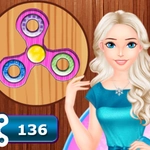
Dream up your perfect fidget spinner — pick wild colors, change the arms, add sparkly details, and fire it up to see the blur you created.
💬What is Fidget Spinner Design?
Okay, so the name pretty much tells you what's up. You're not here for deep lore or complex controls — you're here to make a fidget spinner that looks exactly how you want it. The game gives you a base spinner and a palette of colors, shapes for the arms, and all sorts of decorative bits like stickers, patterns, and even glitter trails. The fun part is seeing how each change alters the look when the thing actually spins. Some colors blur together into a cool gradient; others just look messy. I spent way too long trying to get a rainbow effect that didn't make me dizzy.
It's all mouse or tap, which makes it perfect for wasting five minutes between classes. You click on a part, choose a color or style, and the preview updates instantly. No load times, no annoying tutorial. If you're on a phone, it's even easier — just tap away. The game doesn't punish you for crazy combinations, so you can go full neon-pink with skull stickers and a glow-in-the-dark bearing. My personal favorite was adding a metallic finish to the arms and watching them shimmer as the spinner gained speed.
Honestly, this is more of a chill creative toy than a game with scores or levels. You won't find boss fights or unlockable content. But if you're the type who likes dress-up games or virtual makeovers, this scratches that same itch. Kids will love it because it's simple and colorful; adults might find it weirdly satisfying. I caught myself coming back just to tweak one more detail before spinning again. Only real downside? You can't save your designs — or at least I didn't find a save button. So screenshot your masterpiece before you close the tab.
👥How to Play Fidget Spinner Design
Mouse click or tap to play
Use your mouse to play this game.
Use the mouse to complete all the cooking steps and to decorate banana split.
✨Game Tips
Test your design at high speed early — certain color combos look completely different when spinning.
Don't stick to one shape; swapping the arms can completely change the spin pattern.
Use the glitter option sparingly — too much glitter and the spinner looks messy when it's moving.
If you're on mobile, zoom in on the spinner to tap smaller parts accurately.
Try a dark background to make metallic and neon colors pop.
🔧FAQ
Q: Is Fidget Spinner Design free to play?
A: Yes, it's completely free. No hidden costs or premium options.
Q: Can I play Fidget Spinner Design on my phone?
A: Absolutely. The game works in a mobile browser with simple tap controls.
Q: Do I need to download anything to play?
A: No downloads needed. Just open the game in your browser and start designing.
Q: How do I change the color of the spinner arms?
A: Click or tap on an arm, then pick a color from the palette that appears.
Q: Can I save my spinner design?
A: The game doesn't have a built-in save button. Take a screenshot to keep your creation.
Q: Is Fidget Spinner Design okay for young kids?
A: Yes, it's very kid-friendly. No violence, ads, or complicated instructions.