
Fidget Spinner - iSpinner
Play Count0
Published2021-06-14
Supported DevicesPC + Mobile
CategoryFun & Crazy
Rating★★★★★5.0Rate this game
📝Fidget Spinner - iSpinner Overview
Give your restless fingers a proper workout with a hyperrealistic fidget spinner that glows, lasers, and spins forever.
💬What is Fidget Spinner - iSpinner?
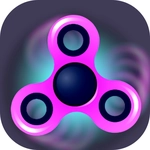
I'll admit it—I downloaded this expecting a dumb time waster. Twenty minutes later I was still flicking the same neon tri-spinner, trying to beat my previous max RPM. That's the sneaky magic of Fidget Spinner - iSpinner: it's technically a hypercasual game, but the physics are so dialed in that it becomes weirdly compelling. You get a cursor (or your finger on touch) and a spinner. You flick it. It spins. It wobbles, slows, and eventually stops. Then you flick it again, a little harder this time.
The first thing you'll notice is the visual treatment. Not all spinners are created equal—there are dozens to unlock or pick from, and the glow, laser, and neon details aren't just for show. I switched to a metallic spinner with laser trails and suddenly my rotation speed felt faster, even though the actual physics were identical. That's a neat trick: the visual effects feed back into your sense of momentum. When the spinner starts to wobble, the neon wobbles with it, which makes the whole thing feel tactile. You'll find yourself nudging it mid-spin just to stabilize it.
There's no score chasing unless you invent your own. Some players will treat it as a stress toy, flicking absent-mindedly while doing other things. Others will get obsessive about max RPM, spin duration, or perfecting the flick angle. I kept coming back to see if a heavier spinner would coast longer. It did. That's the kind of detail that makes this more than a throwaway meme game. Whether you're killing five minutes or deep in a Zoom call, this is the best kind of background noise.
👥How to Play Fidget Spinner - iSpinner
- Realistic simulator with authentic spinning physics
- Dozens of fidget spinners to choose from
- Glow, laser, and neon graphics have shown even more details of the spinners
✨Game Tips
Use short, sharp flicks rather than long drags—you'll get cleaner acceleration without wasting momentum.
Try the heavier spinners if you want longer coast times; lighter ones are better for quick direction changes.
Watch the laser trails to judge speed: if they blur smooth, you're in the sweet spot; if they stutter, you're about to wobble.
If a spinner starts to wobble, give it a tiny nudge in the opposite direction to stabilize it before it stops.
On touchscreen, use the pad of your finger, not the tip—more surface area means more consistent flicks.
🔧FAQ
Q: Is Fidget Spinner - iSpinner free to play?
A: Yes, the game is completely free. You can spin every available spinner without paying.
Q: Can I play Fidget Spinner - iSpinner on my phone?
A: Yes, it works on mobile browsers. Touch controls are smooth and responsive.
Q: Do I need to download or install anything?
A: No download needed. The game runs directly in your browser as HTML5.
Q: Are there ads in the game?
A: There may be occasional ads between spinner selections, but they don't interrupt spinning.
Q: What's the best spinner for beginners?
A: Start with a classic tri-spinner. It has balanced weight and stable spin physics.
Q: Can I play offline?
A: Once the page loads, you can usually keep playing without an internet connection.