
Fighter Aircraft Simulator
Play Count0
Published2019-10-18
Supported DevicesPC
CategoryAction & Fighting
Rating★★★★★5.0Rate this game
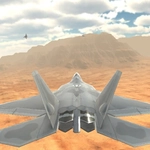
📝Fighter Aircraft Simulator Overview
Strap into a cockpit, throttle up, and turn the sky into a warzone in this no-holds-barred flight combat sim.
💬What is Fighter Aircraft Simulator?
There's a moment when you pull back on the stick just as a missile screams past your canopy that tells you this isn't a casual mobile flyer. Fighter Aircraft Simulator drops you into a proper cockpit with manual throttle, pitch, yaw, and roll — and expects you to figure out how to fly without a tutorial holding your hand. You'll be juggling speed, altitude, and target locks while drones and enemy jets close in from every angle. It's raw, it's fast, and the first time you accidentally roll upside down into a dive, you'll understand why the controls list looks like a keyboard cheat sheet.
The weapon system adds a nice layer of decision-making. You can cycle between special missiles and switch targets with Q and E, which sounds simple until you're inverted at 400 knots trying to shake a lock. I died a lot in my first ten minutes — not because the game is cheap, but because I kept maxing the throttle and forgetting that deceleration is just as important as speed in a turning fight. Mastering the roll keys (A and D) is what separates a pilot from a target. Once you learn to roll into a turn instead of just yawing, the whole game clicks.
The graphics won't win awards, but the sense of speed and scale is surprisingly effective. Enemy aircraft are visible as specks until you close the distance, and there's something satisfying about watching your missile trail smoke as it tracks. It's not a full-on sim like DCS, and it doesn't try to be. But for a free browser game, Fighter Aircraft Simulator scratches the dogfight itch without making you read a 300-page manual. Just don't expect to land safely. There's no landing gear, and honestly, that's probably for the best.
👥How to Play Fighter Aircraft Simulator
W - Acceleration
S - Deceleration
A - Roll Left
D - Roll Right
I / Up arrow - Pitch Down
K / Down arrow - Pitch Up
J / Left arrow - Yaw Left
L / Right arrow - Yaw Right
Q - Switch Special Missile
E - Switch Target
Left Shift -
✨Game Tips
Forget yaw for tight turns — roll with A or D, then pitch up with I to pull through the corner.
Tap S before a turn to bleed speed; it tightens your turn radius and keeps you from overshooting.
Switch targets with E when you hear the lock-on beep from the wrong bogey, don't waste a missile on a drone.
Use Q to cycle special missiles early — the default weapon is fine, but the special ones hit harder when you're outnumbered.
Don't hold W forever. High speed makes you fly straight, and that makes you an easy target for enemy missiles.
Practice pitch control near the ground; crashing is free, and it teaches you how low you can safely dogfight.
🔧FAQ
Q: Is Fighter Aircraft Simulator free to play?
A: Yes, it's completely free in your browser. No hidden fees or premium content.
Q: Do I need to download or install anything?
A: No download needed. It runs on HTML5, so just open the page and you're flying.
Q: Can I play on a phone or tablet?
A: The keyboard controls make it best on desktop. Touchscreen support is limited and not recommended for dogfights.
Q: What are the main controls I need to know?
A: W/S for throttle, A/D to roll, I/K for pitch, J/L for yaw, Q to switch missiles, E to switch targets.
Q: Is there a multiplayer mode?
A: No, it's a single-player experience against AI enemies. You can replay missions as often as you like.
Q: How do I lock onto enemies?
A: The game auto-locks the nearest threat. Use E to cycle targets until you get the one you want.