
Fill In the Holes
Play Count0
Published2022-09-15
Supported DevicesPC + Mobile
CategoryFun & Crazy
Rating★★★★★5.0Rate this game
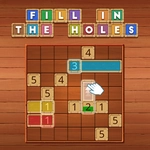
📝Fill In the Holes Overview
Slice the shapes so every section covers exactly the same area—mess up and the holes won't let you forget it.
💬What is Fill In the Holes?
I'll admit it: I opened Fill In the Holes expecting a lazy five-minute time waster. Then I spent twenty minutes staring at a teal rectangle, muttering about a missing square. The concept sounds plain—draw lines to split a shape into equal chunks. But the game sneaks in real spatial reasoning. You're not just cutting it in half; sometimes three, four, even five sections need identical areas, and those empty holes? They eat into your available space, so you have to plan around them. The moment I finally sliced a weird L-shape into three perfectly balanced pieces, I actually sat back and grinned. It's that kind of quiet puzzle satisfaction.
Under the hood, it's all about careful measurement. Each level shows the total grid count, and you drag to carve partitions. The game highlights each section's square count, so you can eyeball the difference before committing. That feedback is crucial—nothing worse than realizing you're two squares short after a sloppy drag. I found my best runs came from counting the holes first, subtracting them from the total, then dividing what's left by the required number. Sound nerdy? Maybe. But that's the charm. It's a hypercasual wrapper around a genuinely decent math puzzle.
Don't expect polish or story. The visuals are flat, colors a bit washed, and there's no ticking clock to raise your pulse. But that's okay. Fill In the Holes respects your attention. You can undo a bad cut instantly, and the difficulty ramps up without feeling unfair. If you've got a spare ten minutes and a stubborn streak, this one's worth a shot. Just don't be surprised if you start seeing grid lines on your ceiling.
👥How to Play Fill In the Holes
Each of them should fill the same amount of boxes/fiels
✨Game Tips
Start by counting the holes as part of the total area before dividing.
Use the on-screen square counter to check each section's size mid-draw.
For odd-shaped levels, divide the remaining area mentally into the target number first.
If a cut feels off, undo immediately—it's faster than recalibrating later.
Aim to place lines along grid boundaries; diagonal cuts are rarely useful here.
When you get three equal sections on your first try, pause and accept the dopamine.
🔧FAQ
Q: Is Fill In the Holes free to play?
A: Yes, it's completely free with no paywalls or hidden fees.
Q: Can I play Fill In the Holes on my phone?
A: Yes, it runs in any mobile browser with touch controls.
Q: Do I need to download anything to start?
A: No downloads needed—just open the page and play instantly.
Q: Does the game work offline?
A: Once the page loads, it generally works without a connection.
Q: Is Fill In the Holes suitable for kids?
A: Absolutely, it's a calm puzzle game with no violence or pressure.
Q: How many levels are there?
A: The game includes dozens of levels with increasing difficulty.