
Fill One Line
Play Count0
Published2025-02-11
Supported DevicesPC + Mobile
CategoryPuzzle & Thinking
Rating★★★★★5.0Rate this game
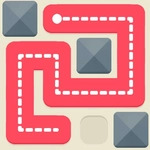
📝Fill One Line Overview
Drag a single unbroken line across every empty cell and don't paint yourself into a corner—easier said than done on later grids.
💬What is Fill One Line?
The first time I got stuck, it was on a grid that looked almost too easy. Just a few cells blocked out, a starting dot in the corner, and a blank open field. I dragged a line along the top row, turned down the right side, then hit a dead end with two cells left and no way to reach them without crossing my own trail. That's when I realized the real puzzle: you have to plan the entire route before you commit, because one careless turn can leave an isolated cell stranded forever.
What makes Fill One Line work is its stubborn simplicity. There's no timer, no enemies, no flashy power-ups—just you against a grid of squares and the knowledge that every cell must be filled exactly once. Some levels have obvious highways, but the tricky ones hide bottlenecks behind obstacles that look decorative. I found myself mentally tracing backwards from the exit more often than forwards, which is a habit I only use in games like this. The obstacles aren't just walls; they shape the only viable order you can visit certain sections. If a cell has only one neighbor open, it has to be either your first or last stop, and the rest of the line has to route around that.
The later levels ramp up the grid size and sprinkle obstacles more aggressively, but the satisfaction of finally dragging that uninterrupted line through the last cell is worth the restarts. It's the kind of puzzle you play on a coffee break, then realize twenty minutes have vanished.
👥How to Play Fill One Line
Mouse click or Playing our puzzle is simple and fun! Your goal is to fill the entire playing field with one continuous line, avoiding obstacles.
How to play:
Start from the chosen starting point.
Draw a line, connecting the cells of the field to fill them
✨Game Tips
Look for cells with only one open neighbor first; they force the path's start or end.
Mentally trace from the finish backwards—it's often clearer than working forward.
Don't hug the border too early; it can cut off interior cells from the rest of the line.
Use obstacles as anchors: they split the grid into zones that must be entered and exited in a specific order.
Restart is free and fast, so don't be precious about a doomed attempt.
On larger grids, pause every few moves to check if any remaining cells are getting isolated.
🔧FAQ
Q: Is Fill One Line free to play?
A: Yes, it's completely free in your browser with no paywalls.
Q: Can I play Fill One Line on my phone?
A: Yes, the HTML5 version works on both mobile and desktop browsers.
Q: Do I need to download anything to play?
A: No downloads or installs needed—just open the page and start drawing.
Q: What if I get stuck on a level?
A: Restart the level and try tracing backward from the last cell you need to fill.
Q: Does Fill One Line have mouse or touch controls?
A: Both. Use a mouse drag or finger swipe to connect cells.
Q: Are there multiple difficulty levels?
A: Yes, the puzzles gradually get larger and add more obstacles as you progress.