
Find Differences Halloween
Play Count0
Published2021-10-26
Supported DevicesPC + Mobile
CategoryArcade & Classic
Rating★★★★★5.0Rate this game
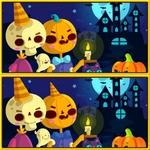
📝Find Differences Halloween Overview
Spot the sneaky vampire hiding in the pumpkin patch before the timer drains your nerves—can you catch all seven differences?
💬What is Find Differences Halloween?
Remember those side-by-side pictures in activity books where you'd circle the missing fang or the extra cobweb? That's exactly what this is, except everything's dressed up for Halloween. You get two nearly identical scenes—haunted houses, graveyards, pumpkin patches, the works—and your job is to tap every difference before the clock runs out. The devious part? Some differences are tiny: a ghost's left eye is a single pixel off, or a bat's wing has one extra notch. I lost a solid forty seconds once hunting for a difference inside a jack-o'-lantern's smile, only to find the stem had turned green instead of brown. That's the kind of sneaky detail that keeps me clicking.
Controls are as straightforward as it gets: mouse or touchscreen, tap the spot you think is off. No fumbling with menus or tutorials. You get a limited number of hints if you're stuck, which I try to hoard like candy corn but always end up burning on the last stubborn difference. The timer isn't cruel, but it's not a snooze either—each level gives you just enough time to feel smart when you clear it with seconds left. Some stages have more differences than others, so don't get cocky.
It's a relaxing-but-focused kind of game. Perfect for a Halloween brain break between classes or while waiting for something. The art leans cartoonish rather than gory, so it's fine for younger players too, though a couple of spooky faces might startle toddlers. Overall, if you like hidden object or spot-the-difference games, this one nails the seasonal vibe without overstaying its welcome.
👥How to Play Find Differences Halloween
Use mouse or touch pad to play this game.
✨Game Tips
Don't sweep randomly—scan left to right, top to bottom, like folding a map.
Hover near the edges first; artists love hiding differences in corners and shadowy borders.
If you're stuck, look at color changes rather than missing objects—a purple hat might just be a red one.
Keep one finger ready on the hint button, but only use it after you've checked every spot twice.
Play with sound on if available; sometimes a subtle audio cue flags a difference you missed.
🔧FAQ
Q: Is Find Differences Halloween free to play?
A: Yes, it's completely free in your browser—no paywalls or surprise charges.
Q: Can I play Find Differences Halloween on my phone?
A: Works on mobile browsers with touch controls, so tap away on any screen size.
Q: Do I need to download anything to start playing?
A: Nope. It runs directly in your web browser using HTML5, no installs required.
Q: What if I can't find the last difference before the timer hits zero?
A: You'll retry the level. The timer resets, and differences usually stay in the same spots.
Q: Are there hints if I get stuck?
A: Yes, each level includes a limited number of hints that highlight a difference for you.
Q: Is this game scary for young children?
A: The art is cartoonish, not gory. A few ghost and skeleton faces might be spooky for toddlers, but most kids will be fine.