
FireBlob
Play Count0
Published2020-09-14
Supported DevicesPC + Mobile
CategoryAction & Fighting
Rating★★★★★5.0Rate this game
📝FireBlob Overview
Guide a wobbly ball of flame through some seriously unforgiving platforming gauntlets.
💬What is FireBlob?
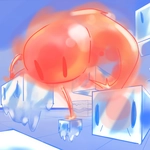
There's something oddly satisfying about a wobbly blob of fire. FireBlob drops you into a series of platforming gauntlets where your only real job is to keep that little flame alive. You'll hop between ledges, dodge water droplets that hiss on contact, and time your jumps over collapsing tiles. The controls are dead simple—arrow keys or WASD to move, H or Space to jump—but the level design is mean in the best way. Some jumps look impossible until you realize the blob's jump height changes with how long you hold the button. That's the first 'aha' moment I had, after falling into the same pit three times.
Mobile players get touch buttons, which actually work better than you'd expect for a game this twitchy. The Edge browser version strips the controls down to just arrow keys and a jump button, while other browsers add W and H as extra options. It's a small thing, but swapping between browsers made me appreciate how much the extra jump key matters when your left hand is already busy. The fire theme isn't just cosmetic either—water is your biggest enemy, and some levels force you to skirt along the edge of a pool where one wrong tap means instant steam. The pixel-art style keeps everything readable, even when the screen fills with lava geysers and floating platforms.
I kept coming back to this one after dying at the same underground section for twenty minutes. It's the kind of frustration that feels earned, not cheap. If you like platformers that punish sloppy jumps but reward patience, FireBlob scratches that itch without needing a download or an account.
👥How to Play FireBlob
Controls:
Edge:
-Arrow Keys to Move.
-H, Up Arrow, or Space to Jump.
Other Browsers:
-A, D, or Arrow Keys to Move.
-H, W, Up Arrow, or Space to Jump.
Mobile:
-Use the touch buttons.
✨Game Tips
Hold jump longer to get extra height—tap it for a small hop.
Stick to the edges of water pits; touching them even slightly kills you instantly.
Learn the rhythm of moving platforms before committing to a long sequence.
On mobile, position your thumbs so you can hit both jump and move without looking.
If a jump feels impossible, try running off the ledge instead of jumping—momentum carries you farther.
🔧FAQ
Q: Is FireBlob free to play?
A: Yes, it's completely free in your browser with no hidden costs.
Q: Can I play FireBlob on my phone?
A: Yes, the game has touch controls for mobile devices.
Q: Do I need to download anything to play FireBlob?
A: No download needed—it runs right in your browser.
Q: What are the controls for FireBlob on Edge?
A: Use arrow keys to move and H, up arrow, or space to jump.
Q: Why does my character die instantly in water?
A: Water is fatal to the fire blob; avoid any contact with it.
Q: Is there a difference between browser versions?
A: Edge uses only arrow keys; other browsers also support A, D, and W keys.