
FlapFlat Twins
Play Count0
Published2023-05-24
Supported DevicesPC + Mobile
CategoryAction & Fighting
Rating★★★★★5.0Rate this game
📝FlapFlat Twins Overview
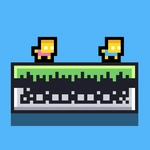
Your flat twin duo has a simple job: grab the diamonds, hit the door, and don't let the walls crush you. But can you switch between them fast enough?
💬What is FlapFlat Twins?
I'll be honest: the first time I played FlapFlat Twins, I kept forgetting which twin I was controlling. That's the whole challenge. You've got two flat, slippery characters in a tight platformer where every jump has to be precise. The controls are simple — WASD to move, and tap W to leap. But here's the kicker: press W again while you're against a wall and you'll bounce off it. That wall-jump is your best move, and it feels great once you get the rhythm.
The game throws a button at you that swaps between the twins. Some rooms have diamonds scattered in separate paths, so you'll need to guide one twin to a diamond, switch to the other, grab another, and then somehow meet at the door. It's a juggling act, especially when spikes or moving blocks are involved. I remember a level where one twin had to wall-jump up a narrow shaft while the other waited on a pressure plate — switching back and forth felt like patting your head and rubbing your stomach.
Mobile controls are there if you want them, but I'd stick with a keyboard for this one. It's the kind of game that punishes hesitation. The diamonds sparkle just enough to make you greedy, and the door won't open until every one of them is collected. I died a bunch, but each retry felt fair. If you like two-character puzzle platformers, this one will scratch that itch without overcomplicating things.
👥How to Play FlapFlat Twins
*Use WASD Keys to move.
*Press the W key multiple times to jump from wall to wall.
*Collect the diamonds and open the door.
*Mobile play is available.
*There is a button to change the player.
✨Game Tips
Master the double-tap W on walls early — it's not just a jump, it's your main movement tool.
Switch twins between diamond pickups to avoid backtracking; plan the route before you move.
Use the wall-jump to stall in mid-air if you need a second to think.
On mobile, the on-screen button for swapping is easy to hit by accident — keep your thumb steady.
If a door won't open, check every corner: some diamonds hide behind thin walls.
Don't be afraid to leave one twin stranded temporarily; you can always switch back as long as neither dies.
🔧FAQ
Q: Is FlapFlat Twins free to play?
A: Yes, it's completely free on unblocked games sites. No hidden fees or subscriptions.
Q: Can I play FlapFlat Twins on my phone?
A: Yes, mobile controls are available. Use the on-screen buttons for movement and switching.
Q: Do I need to download FlapFlat Twins?
A: No download needed. It runs in your browser as an HTML5 game.
Q: How do I switch between the two twins?
A: Press the character switch button (on screen on mobile, or a key on PC) to swap control.
Q: What are the PC controls for FlapFlat Twins?
A: Use WASD to move. Press W while against a wall to wall-jump repeatedly.
Q: Is FlapFlat Twins a two-player game?
A: Not traditional two-player. You control both twins by switching between them.