
Flip Trickster
Play Count0
Published2021-08-20
Supported DevicesPC + Mobile
CategorySports
Rating★★★★★5.0Rate this game
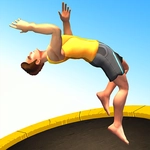
📝Flip Trickster Overview
Leap off skyscrapers, spin through the air, and pray you stick the landing before the ground remembers you.
💬What is Flip Trickster?
I won't pretend I'm good at Flip Trickster. My first run ended with my character folded into a pretzel on a concrete slab, limbs pointing in directions that shouldn't be possible. But that's the hook: you launch, you spin, you either stick the landing or you don't, and the margin between glory and faceplant is a few milliseconds. Controls are deceptively simple — tap to jump, hold to tuck, release to extend — but the real skill is reading your rotation speed and knowing exactly when to let go. I found myself holding my breath on every triple backflip, then exhaling when the feet finally hit flat.
The 3D environments range from construction sites to rooftop pools, each with its own awkward landing zones and hidden obstacles. The physics engine is forgiving enough to make you feel like a hero but brutal enough that overshooting by a hair sends you ragdolling off the edge. There's no story, no level progression — just a scoreboard and a relentless desire to beat your last run. I kept coming back to the same crane jump for an hour, convinced I could squeeze out one extra rotation if I just tucked a fraction sooner. That's the addictive loop: every failure is a lesson, every success is a standing ovation from the tiny crowd below.
The game runs smooth in a browser tab, and the touch controls translate surprisingly well to mouse. One thing I noticed: the landing detection can be picky about slopes, so flat surfaces are your best friend. If you're like me, you'll start with careful single flips, then get cocky, attempt a quad, and eat pavement. Worth it every time.
👥How to Play Flip Trickster
Flip Trickster 3D
✨Game Tips
- Start with a single backflip and gradually add rotations; the spin speed ramps up fast, and overshooting is the most common mistake.
- Keep an eye on your character's shadow on the ground — it tells you exactly where you'll land, especially when the camera swings wildly.
- Don't tap the tuck button repeatedly; holding it for the full duration changes your rotation much more than tapping.
- Landing on any slope counts as a fail even if your feet touch, so aim for the flattest part of each platform.
- After a perfect landing, there's a brief slow-motion window — use it to line up your next jump instead of celebrating.
- Crowd noise is your feedback: if it goes quiet mid-air, you've already botched the rotation.
🔧FAQ
Q: Is Flip Trickster free to play?
A: Yes, the game is completely free on this site. No hidden charges or premium unlocks.
Q: Can I play Flip Trickster on my phone?
A: The game works in mobile browsers with touch controls. You just tap and hold to flip.
Q: Do I need to download anything to play?
A: No download needed. It runs directly in your browser as an HTML5 game.
Q: Is Flip Trickster unblocked at school?
A: This version is unblocked and works on most school networks without restrictions.
Q: What are the basic controls?
A: Click or tap to jump. Hold to tuck and spin. Release to extend your body and land.
Q: Can I compete with friends in Flip Trickster?
A: There's no multiplayer mode, but you can take turns sharing the same device to beat each other's scores.