
Flipper Ball
Play Count0
Published2020-09-28
Supported DevicesPC + Mobile
CategoryArcade & Classic
Rating★★★★★5.0Rate this game
📝Flipper Ball Overview
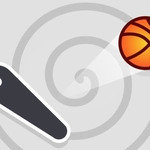
Bounce, flip, and ricochet through a maze of glowing bumpers and targets—can you keep the shiny ball alive in this slick arcade pinball challenge?
💬What is Flipper Ball?
I've sunk hours into digital pinball, and Flipper Ball scratches that itch without needing a cabinet the size of a fridge. The basic loop is simple: use the left and right flippers to keep a chrome ball bouncing around a neon-lit table, smacking into bumpers, slingshots, and targets for points. But "simple" doesn't mean easy. The ball picks up speed fast, and a mistimed flip sends it straight down the center drain before you can blink.
What sets Flipper Ball apart is how tight the controls feel. On desktop, the arrow keys map to the left and right flippers exactly where you'd expect. On a touchscreen, tapping the left or right half of the screen does the same thing. There's no lag, no floaty physics—when you hit the flipper, the ball rockets away with a satisfying *thwack*. I kept coming back after every game over just to try one more run, because the difference between a 10,000-point flop and a 500,000-point monster session usually comes down to a single well-timed nudge. You can't physically nudge the table like a real pinball machine, but you can hold a flipper up to catch the ball and line up your next shot. That small bit of control makes all the difference.
Visually, it's bright without being noisy. The table glows with primary colors, and the ball leaves a slight trail that helps you track its path at high speed. Sound effects are punchy: every bumper hit pops, every drain thuds with finality. It's the kind of game you can play for five minutes waiting in line or lose an entire afternoon to, chasing that one extra multiplier. If you enjoy arcade score attacks or just want something that rewards quick reflexes, Flipper Ball is a solid pickup. Just be warned—the high score screen will call your name.
👥How to Play Flipper Ball
- Touch right or left side to control flips.
- Press right or left arrows to control flips.
✨Game Tips
Nail the timing: flip just as the ball touches the flipper tip for maximum power and tight angle control.
Hold a flipper up to trap the ball, then release to roll it back for a controlled shot instead of slapping blindly.
Keep your eyes on the ball's shadow (or trail) when it's moving fast—it tells you where it'll land before you can react.
Aim for the upper bumpers early; they score big but become harder to hit once the ball speeds up.
Alternate flipper taps rather than mashing both at once to keep the ball zigzagging and away from the center drain.
On mobile, use your thumbs at the bottom corners of the screen for quickest response, not the very edge.
🔧FAQ
Q: Is Flipper Ball free to play?
A: Yes, it's completely free in your browser—no paywalls or in-game purchases.
Q: Can I play Flipper Ball on my phone?
A: Absolutely. The touch controls work on any mobile browser; just tap the left or right side to flip.
Q: Do I need to download anything?
A: No downloads. It runs straight from your browser as an HTML5 game.
Q: How do I control the flippers on a computer?
A: Use the left and right arrow keys. Left arrow controls the left flipper, right arrow controls the right.
Q: Is there a scoring system or unlockables?
A: You score points by hitting bumpers and targets. No unlockables—just a high score to beat.
Q: What's the main objective in Flipper Ball?
A: Keep the ball in play as long as possible and rack up the highest score before losing all your balls.