
Flying Car Ayn
Play Count0
Published2021-08-16
Supported DevicesPC
CategoryDriving & Racing
Rating★★★★★5.0Rate this game
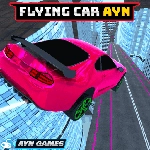
📝Flying Car Ayn Overview
Take a car that handles like a dream on asphalt and then kick it into the air over rooftops — Flying Car Ayn turns every street into a runway.
💬What is Flying Car Ayn?
So you've got a sports car, nitro, and a handbrake that actually matters. That's already a decent arcade racer. Then you hit a ramp at full boost and the thing leaves the ground — and suddenly you're not driving anymore, you're piloting a metal kite with wheels. That's the hook. The first time I accidentally tapped N too early and watched the car nose up over a billboard, I was grinning like an idiot.
The driving itself feels loose enough to be fun but tight enough that sliding into a drift with space feels deliberate. The flying bit is where it gets weird in the best way. You can pitch the nose down to dive, or hold it level and just cruise over traffic. Landing is the real skill — come in too steep and you'll bounce off the pavement like a basketball, but nail it and you're already back to full speed with nitro to spare. The camera toggle with C helps a lot when you're upside down or trying to line up a street between buildings.
It's the kind of game you'll jump into for five minutes and then realize an hour slipped by because you kept saying "one more run." No story, no upgrades to grind — just you, a flying car, and a city full of rooftops. Works great with arrow keys or WASD, and the nitro management gives it just enough depth without ever feeling like homework.
👥How to Play Flying Car Ayn
Move: "ARROW KEYS" - "WASD" Nitro: "N" Camera : "C" HandBrake : "SPACE"
✨Game Tips
Tap N for nitro right before a ramp to get extra lift, but save a little for straightaways.
Use Space (handbrake) to rotate sharply in the air when you overshoot a landing.
Switch camera with C while flying to judge your descent and avoid clipping buildings.
Level the car before touchdown — coming in nose-first will bounce you and kill your speed.
Short nitro bursts in the air keep you stable better than holding it down the whole time.
Practice on long straight roads first to feel how the car transitions from driving to flight.
🔧FAQ
Q: Is Flying Car Ayn free to play?
A: Yes, it's completely free. No hidden fees or paywalls.
Q: Can I play Flying Car Ayn on mobile?
A: The game works best with a keyboard, but mobile browsers can run it. Touch controls may not be ideal for flying.
Q: Do I need to download anything to play?
A: No downloads. It runs right in your browser as an HTML5 game.
Q: What are the controls for Flying Car Ayn?
A: Use arrow keys or WASD to move, N for nitro, C for camera, and Space for handbrake.
Q: Is Flying Car Ayn unblocked at school?
A: Yes, it's an unblocked game, so it typically works on school or work networks without issues.
Q: How do I get better at landing the flying car?
A: Cut nitro before landing, level the car, and aim for a flat surface. Practice on wide roads until it feels natural.