
Flying Cars Era
Play Count0
Published2021-07-12
Supported DevicesPC
CategoryAction & Fighting
Rating★★★★★5.0Rate this game
📝Flying Cars Era Overview
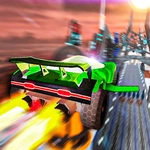
Strap into a rocket-powered ride and launch off ramps into sky-high car combat — outrun your rival, dodge gravity, and claim the air.
💬What is Flying Cars Era?
Flying Cars Era throws you into a city where every ramp is a launchpad and every straightaway is a runway. The moment you hit NOS right at the lip of a ramp, your car leaves the ground and suddenly you're flying — not just a little hop, but actual airborne chaos. You can pitch and roll mid-air with the handbrake, which feels completely wrong until you nail your first flat spin and realize this is drift racing taken to its logical, ridiculous conclusion.
In single player, you cruise around alone to test how far you can fling a car off a skyscraper. But the real magic is two-player on the same keyboard. Player one uses arrow keys, player two uses WASD, and you sit shoulder to shoulder trying to knock each other out of the sky. The NOS boost refills over time, so you learn to save it for the perfect ramp exit — or burn it all on a desperate straight-line escape. The reset button (R or O) becomes your best friend because you will land upside down in a fountain at least once per session.
I kept coming back after I discovered you can use the handbrake mid-air to rotate your car and land on all four wheels. That tiny mechanical trick changes everything: it turns each ramp into a mini-objective, a little physics puzzle where you try to stick the landing while your friend is actively trying to T-bone you out of the sky. The look-back button (B) is mostly useless in single player, but in two-player it's a taunt. Use it after a clean air kill and watch your opponent lose their mind.
👥How to Play Flying Cars Era
If playing single:
Move: "W,A,S,D" or "ARROW KEYS"
NOS: "LEFT-SHIFT"
Hand brake: "SPACE"
Reset car position: "R"
Look back: "B"
If playing two player:
Player 1:
Move: "ARROW KEYS"
NOS: "RIGHT-SHIFT"
Hand brake: "P"
Reset car position: "O"
Lo
✨Game Tips
Hit NOS right before the ramp lip to get maximum airtime, then tap handbrake mid-air to level out your nose.
In two-player, sit side by side because both control schemes share a keyboard — arrow keys and WASD.
Use reset (R or O) instead of respawning if you land upside down in a weird spot.
Don't hold handbrake while driving on the ground — it'll spin you out instantly.
Save your NOS for ramps unless you need to escape a head-on collision.
Look back (B) only when you're confident in the air; it disorients most players.
🔧FAQ
Q: Is Flying Cars Era free?
A: Yes, it's completely free to play in your browser.
Q: Can I play Flying Cars Era on mobile?
A: No, it needs a keyboard for controls, so desktop is recommended.
Q: Do I need to download anything?
A: No downloads required — it runs directly in the browser.
Q: How do I play two-player mode?
A: Player 1 uses arrow keys, Player 2 uses WASD on the same keyboard.
Q: What does NOS do in Flying Cars Era?
A: NOS gives a speed burst that refills over time, perfect for ramp jumps.
Q: Does Flying Cars Era support gamepads?
A: Not natively — keyboard controls are the standard way to play.