
FPS Shooter 3D City Wars
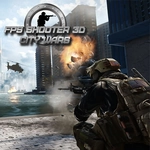
📝FPS Shooter 3D City Wars Overview
Drop into a bullet-riddled urban warzone, pop off headshots from rooftops, and see how long you can survive the chaos.
💬What is FPS Shooter 3D City Wars?
FPS Shooter 3D City Wars drops you into a concrete maze of buildings, crates, and open plazas where every corner might have a rifle pointed at it. The movement isn't just run-and-gun: you can crouch, go prone, lean around cover with Q and E, and even trigger a Matrix-style time dilation with T. That last one changes firefights completely — when three enemies push your position, slowing everything down gives you just enough breathing room to line up headshots instead of panic-spraying.
The shooting feels snappy. Aiming down sights with RMB tightens your spread, and reloads have weight (don't get caught mid-mag swap). I spent a good chunk of one match lying prone behind a dumpster, leaning out to pop shots at a sniper across the street. The AI won't just stand there either; they'll reposition, flush you with grenades, and punish you for staying still too long. It's not a hardcore sim, but it rewards patience more than most browser shooters.
Performance is solid for a browser game, though I'd suggest playing with headphones to catch footsteps and distant gunfire. There's no story or unlock treadmill — just you, a rifle, and a city full of hostiles. If you're after a quick FPS fix that doesn't require downloading anything, this one scratches that itch.
👥How to Play FPS Shooter 3D City Wars
WASD - Move
Space - Jump
R - Reload
Ctrl - Crouch
X - Lie
T - Time Dilation
Left Mouse Button - Shoot
Right Mouse Button - Aim
Q - Tilt Left
E - Tilt Right
Esc - Pause
✨Game Tips
Use Q and E constantly — leaning exposes far less of your body than strafing out.
Tap T in close fights; bullet time makes headshots way easier to land.
Go prone with X when holding angles, especially against snipers.
Never reload in the open; find cover first or you'll get dropped mid-animation.
Sound is your early warning system — listen for footsteps before crossing plazas.
If enemies rush as a group, retreat and funnel them into a doorway.
🔧FAQ
Q: Is FPS Shooter 3D City Wars free to play?
A: Yes, it's completely free in your browser with no hidden fees.
Q: Can I play FPS Shooter 3D City Wars on mobile?
A: It works on mobile browsers, but keyboard and mouse are strongly recommended for aiming.
Q: Do I need to download anything?
A: No download needed — just open the game page and start playing.
Q: What are the default controls?
A: WASD to move, mouse to shoot/aim, R to reload, Ctrl to crouch, X to lie down, T for slow motion.
Q: Does it support multiplayer?
A: No, it's a single-player shooter against bots.
Q: Can I pause the game?
A: Press Esc to pause at any time during a match.