
Free Educational Games
Play Count0
Published2021-01-26
Supported DevicesPC + Mobile
CategoryGirls & Lifestyle
Rating★★★★★5.0Rate this game
📝Free Educational Games Overview
Tiny learners, huge fun — can you match, count, and solve your way through a rainbow of quick brain teasers?
💬What is Free Educational Games?
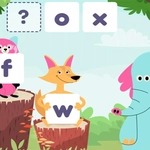
I opened this one expecting a dry classroom drill, then lost half an hour to a shape-sorting puzzle that kept changing its own rules. Free Educational Games is really a collection of bite-sized brain teasers aimed at young kids — counting, color matching, simple logic, spot-the-difference stuff. None of it will tax an adult, but that's not the point. It's bright, it's cheerful, and it runs right in your browser without a download.
The controls are dead simple: click or tap anything that looks out of place. In one round I had to drag the right number of apples onto a plate; in another, I was spotting which shadow matched a cartoon cat. The transitions are snappy, and every correct answer triggers a little burst of stars or a happy chime. There's no timer on most puzzles, which is a blessing when a six-year-old is exploring every button just to see what happens. You can walk away mid-puzzle and come back later, and the game won't have scolded you.
If you're a parent, a teacher, or just someone who wants a zero-pressure mental warm-up, this scratches that itch. It's not deep, but it doesn't pretend to be. The satisfaction comes from those tiny 'you got it right' moments and the way each solved puzzle makes the screen dance. I kept coming back to the pattern-matching game longer than I'd like to admit. It's exactly what the title says: free, educational, and surprisingly easy to lose track of time with.
👥How to Play Free Educational Games
Mouse or tap to play.
✨Game Tips
Keep the sound on — the little chimes and star bursts make correct answers feel rewarding for kids.
No rush: most puzzles have no timer, so let young players poke around and experiment.
If a puzzle stumps you, look for the highlighted or pulsing object that usually hints at the answer.
Use a mouse if you can; it's easier for tiny hands than a trackpad, though touch works fine on tablets.
Try the counting games first if you want a gentle warm-up before the trickier logic puzzles.
🔧FAQ
Q: Is Free Educational Games really free?
A: Yes, it's completely free to play in your browser. No hidden paywalls or premium unlocks.
Q: Do I need to download or install anything?
A: No downloads. It runs on HTML5, so just open the page and start clicking or tapping.
Q: Can I play Free Educational Games on my phone or tablet?
A: Yes, the touch controls work smoothly on mobile devices. Just tap the screen.
Q: What age group is this game best for?
A: It's designed for young kids, roughly ages 4 to 8, but anyone can enjoy the simple puzzles.
Q: Does this game need an internet connection?
A: Yes, you need an internet connection because it runs in a web browser.
Q: Are there ads or pop-ups?
A: The unblocked version may show occasional ads, but they don't interrupt the actual puzzles.