
Frozen Escape
Play Count0
Published2026-04-15
Supported DevicesPC + Mobile
CategoryAction & Fighting
Rating★★★★★5.0Rate this game
📝Frozen Escape Overview
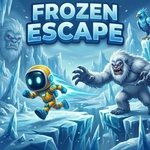
Can you outrun the cold? Leap across crumbling ice shelves and double-jump over frozen spikes in this fast-paced escape.
💬What is Frozen Escape?
Look, I've played a lot of platformers, and Frozen Escape gets the core right: tight jumps, slippery momentum, and that little jolt of panic when a platform starts to crack under you. The ice aesthetic isn't just decoration—some surfaces have just enough slipperiness to punish reckless movement, but never so much that it feels unfair. I kept dying on the same spike pit because I got greedy with the second jump, and that's exactly the kind of frustration that makes me reset instantly instead of closing the tab. The game understands that a good death is a teaching moment.
Controls are dead simple: A/D or arrows move you left and right, W/space/up jumps, and you get a double jump right out of the gate. That double jump is your safety net, but it's also a trap if you burn it too early—save it for when you're already falling and you'll recover from sloppy landings. P pauses the action when you need a breather, which sounds trivial but matters on the later levels. Touch controls add on-screen buttons for mobile, and while they're serviceable, I'd recommend a keyboard if you're chasing a clean run. The difficulty ramps up nicely: moving platforms, crumbling ice, and tighter timing that forces you to read the level instead of just reacting. It's a pick-up-and-play title that respects your time, and the frozen setting gives it a cohesive, chilly vibe without ever slowing down the pace.
👥How to Play Frozen Escape
Keyboard:
A / D or Left / Right Arrow: Move Left and Right
W / Space or Up Arrow: Jump (Double jump supported)
P: Pause Game
Touch/Mobile:
Use on-screen buttons to move and jump.
✨Game Tips
Master the double jump timing—save it for when you're already falling to recover from bad landings.
Icy surfaces slide a bit more than normal ground, so tap movement keys instead of holding them for fine control.
Watch for visual cues like cracks or shimmering before a platform breaks away.
Pause is your friend: use it to line up a tricky sequence without pressure.
On mobile, keep your thumb near the jump button's edge for quicker double jumps.
🔧FAQ
Q: Is Frozen Escape free to play?
A: Yes, it's completely free in your browser with no paywalls.
Q: Can I play Frozen Escape on my phone?
A: Yes, touch controls appear automatically on mobile devices.
Q: Do I need to download anything?
A: No, it runs in your browser as HTML5—just load and play.
Q: What are the controls for Frozen Escape?
A: Use A/D or arrow keys to move, W/space/up to jump, double jump is built in, P pauses.
Q: Does Frozen Escape have a pause feature?
A: Yes, press P on keyboard or use the on-screen pause button on mobile.
Q: Is Frozen Escape suitable for younger players?
A: Yes, it's family-friendly with no violence, just platforming challenges.