
Frozen II Coloring Book
Play Count0
Published2021-11-30
Supported DevicesPC + Mobile
CategoryFun & Crazy
Rating★★★★★5.0Rate this game
📝Frozen II Coloring Book Overview
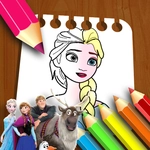
Grab your digital crayons and bring Elsa, Anna, and Olaf back to life in this chill coloring sandbox where every page is a blank winter wonderland.
💬What is Frozen II Coloring Book?
So here's the deal: Frozen II Coloring Book is exactly what it sounds like, but with enough charm that I ended up spending way longer on it than I planned. You get a handful of stills from the movie — Elsa, Anna, Olaf, maybe the enchanted forest — all as black-and-white outlines. The left side has a palette of colors; you pick one and then click or drag across a section to fill it in. No timers, no scores, no wrong answers. Just you and a coloring page.
What surprised me is how satisfying the fill mechanic feels. When you drag the mouse over Olaf's carrot nose and the orange snaps into place without bleeding out of the lines, it's a tiny dopamine hit. Some pages have small details like Elsa's snowflake patterns or Anna's cloak, and those make you slow down. The color palette isn't unlimited, but it has the usual icy blues, purples, and warm skin tones. I found myself redoing Elsa's dress like three times because the light blue looked too plain, so I went with a darker teal. That's the kind of pointless choice that makes this oddly relaxing.
It's clearly aimed at younger players or anyone who just wants to zone out for ten minutes. There's no challenge, no unlock system, and no save feature as far as I can tell — but that's fine. The game knows what it is. If you love Frozen or just need a brain break between harder titles, this one scratches that itch. I'd honestly let a kid loose on it without worrying about ads or violent surprises.
👥How to Play Frozen II Coloring Book
Use the Mouse
Drag to Coloring!
✨Game Tips
Start with larger areas first — they'll show you how the fill handles edges before you commit to tiny details.
Drag slowly around curved lines like Anna's braids to avoid accidental color spills.
Use light blue for snow and ice; darker teal makes Elsa's dress pop against the white.
If a color looks wrong, just click a new one and paint over the same spot — no undo needed.
Save your favorite pages by taking a screenshot, since the game won't store your finished art.
Don't obsess over staying inside the lines; this is a chill-out activity, not a precision test.
🔧FAQ
Q: Is Frozen II Coloring Book free to play?
A: Yes, it runs free in your browser with no download or payment required.
Q: Can I play Frozen II Coloring Book on my phone or tablet?
A: It works best with a mouse, but touch devices can tap colors and drag to fill sections too.
Q: Do I need to download anything to start playing?
A: No downloads are needed. Just open the page and the game loads right away.
Q: Does Frozen II Coloring Book save my finished pictures?
A: The game doesn't have a save feature, so take a screenshot if you want to keep your art.
Q: What ages is Frozen II Coloring Book suitable for?
A: It's kid-friendly and safe for all ages, with no ads or scary content.
Q: How do I change colors while coloring a page?
A: Click or tap a new color from the palette, then continue painting over the same section.